Apps Menu / Navigation
HCL Connections 8.0
There are a few ways to achieve this in HCL Connections 8.0 with the new theme.
| Top Level | More |
|---|---|
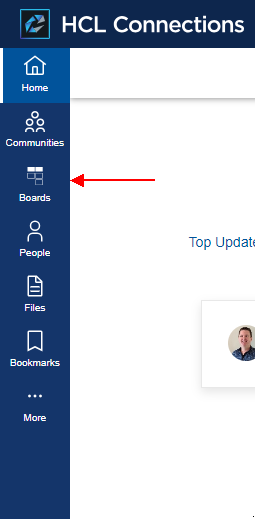 |
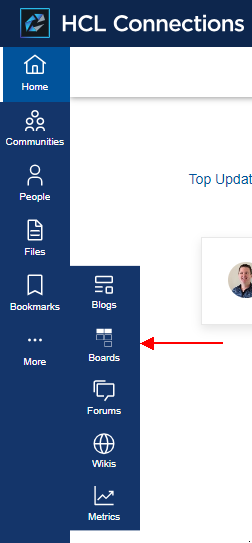 |
Customizer
The HCL documentation also highlights how to add customEntries to the side navigation.
Ideas
 {
  "id": "ideas-menu-nav",
  "name": "Ideas",
  "action": "add",
  "link": "https://[CONNECTIONS_URL]/huddo/auth/connections?redirect_to=/huddo/ideas",
  "icon": "https://[CONNECTIONS_URL]/huddo/ideas/favicon.ico",
  "order": 1600,
  "submenu": [],
  "location": "main"
},
Wikis
{
  "id": "wikis-menu-nav",
  "name": "Wikis",
  "action": "add",
  "link": "https://[CONNECTIONS_URL]/huddo/auth/connections?redirect_to=/huddo/wikis",
  "icon": "https://[CONNECTIONS_URL]/huddo/wikis/favicon.ico",
  "order": 1700,
  "submenu": [],
  "location": "main"
  },
Customise nav json file
Tip
This is the recommended approach for environments that do not have Customizer installed.
The side navigation is customisable as per the official documentation.
-
Download the default react-nav.json file.
-
Rename this file to
react-nav-entries.json -
Edit this file to add
IdeasandWikisHuddo Collab can be added in any place in the navigation. Typically this would either be at the top level in the
navbarmenus.main_menusarray between Communities and People. Simply add the following JSON object in the corresponding section of the file:{ "id": "ideas-menu-nav", "name": "Ideas", "action": "add", "link": "https://[CONNECTIONS_URL]/huddo/auth/connections?redirect_to=/huddo/ideas", "icon": "https://[CONNECTIONS_URL]/huddo/ideas/favicon.ico", "order": 1600, "submenu": [], "location": "main" },{ "id": "wikis-menu-nav", "name": "Wikis", "action": "add", "link": "https://[CONNECTIONS_URL]/huddo/auth/connections?redirect_to=/huddo/wikis", "icon": "https://[CONNECTIONS_URL]/huddo/wikis/favicon.ico", "order": 1700, "submenu": [], "location": "main" }, -
Place this customised file on your Shared Drive at this location:
<SHARED_DRIVE>/customization/common/ui/cnx8-react/react-nav-entries.jsonFor example:
/nfs/data/shared/customization/common/ui/cnx8-react/react-nav-entries.json -
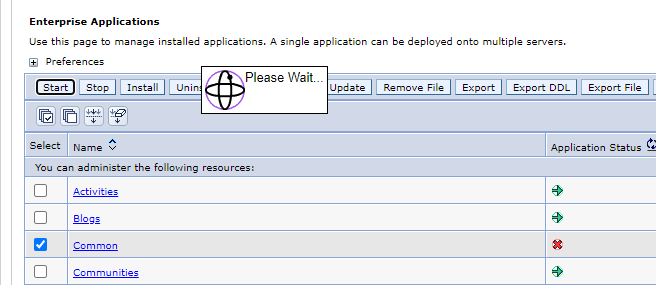
Restart the
Commonapplication via the ISC to apply the changes