Verified Pages and Reviews
A wiki is only useful if people trust it. Verified pages show readers which pages someone has checked recently, and review reminders make sure important pages don't quietly go out of date.
Turn On Verified Pages
Wiki owners turn this on for each wiki.
- Click the pencil next to the wiki name to open Wiki settings
-
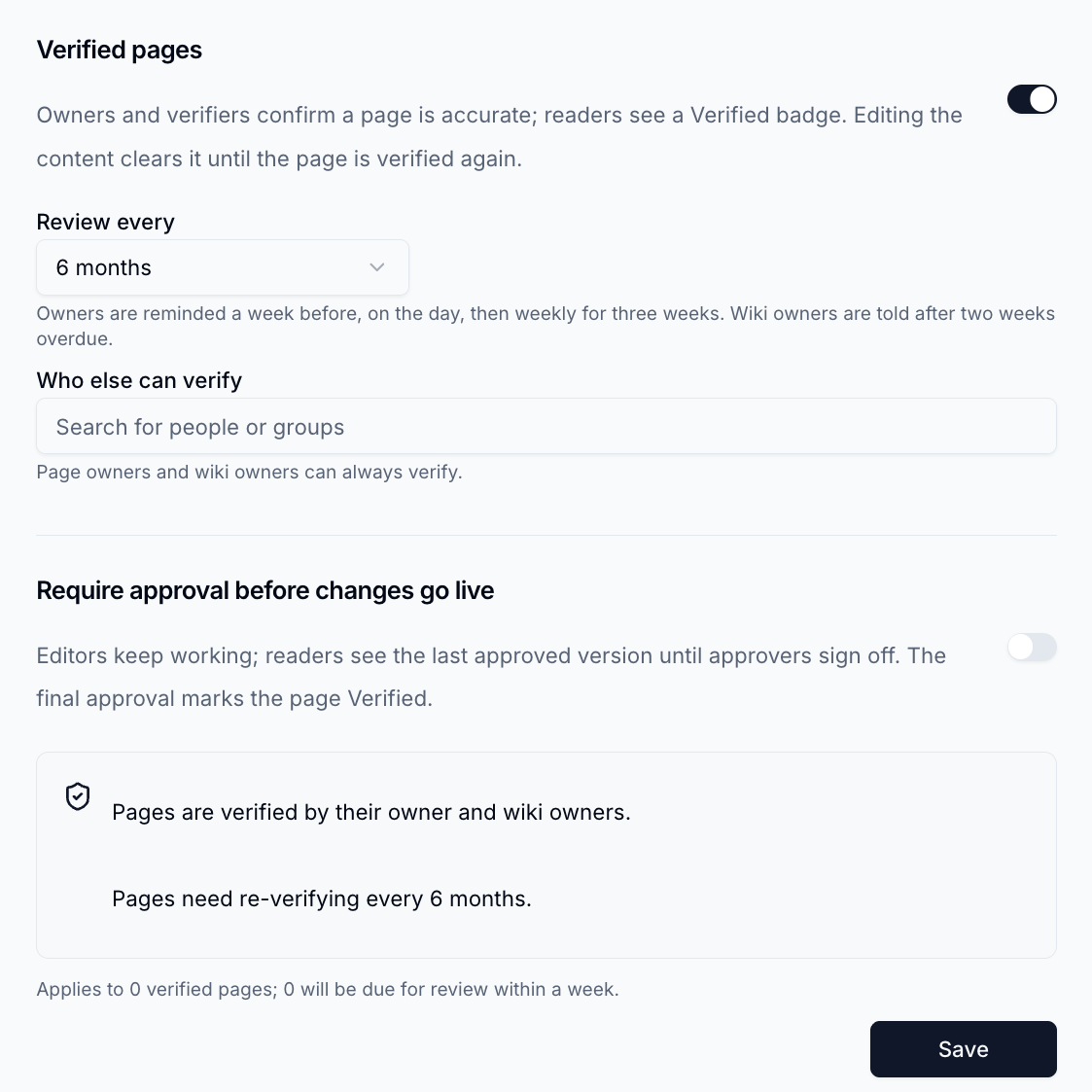
Open the Verification tab and switch on Verified pages
-
Choose how often pages need re-checking in Review every - from 30 days to 1 year, a custom number of days, or Never
- Optionally, add people or groups under Who else can verify
- Click
Save
Existing pages start as Not verified until someone verifies them.
Verify a Page
Page owners, wiki owners and anyone listed under Who else can verify can verify a page.
- Open the page
-
Click
Verifyin the page header, or click the badge and choose Verify this page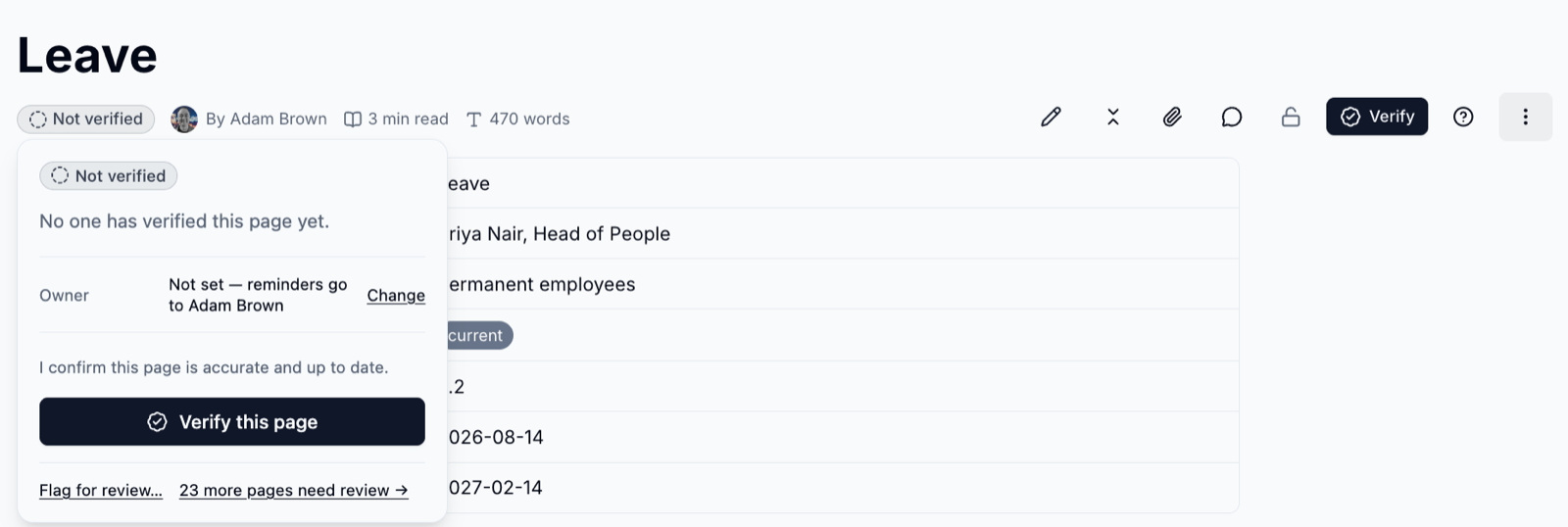
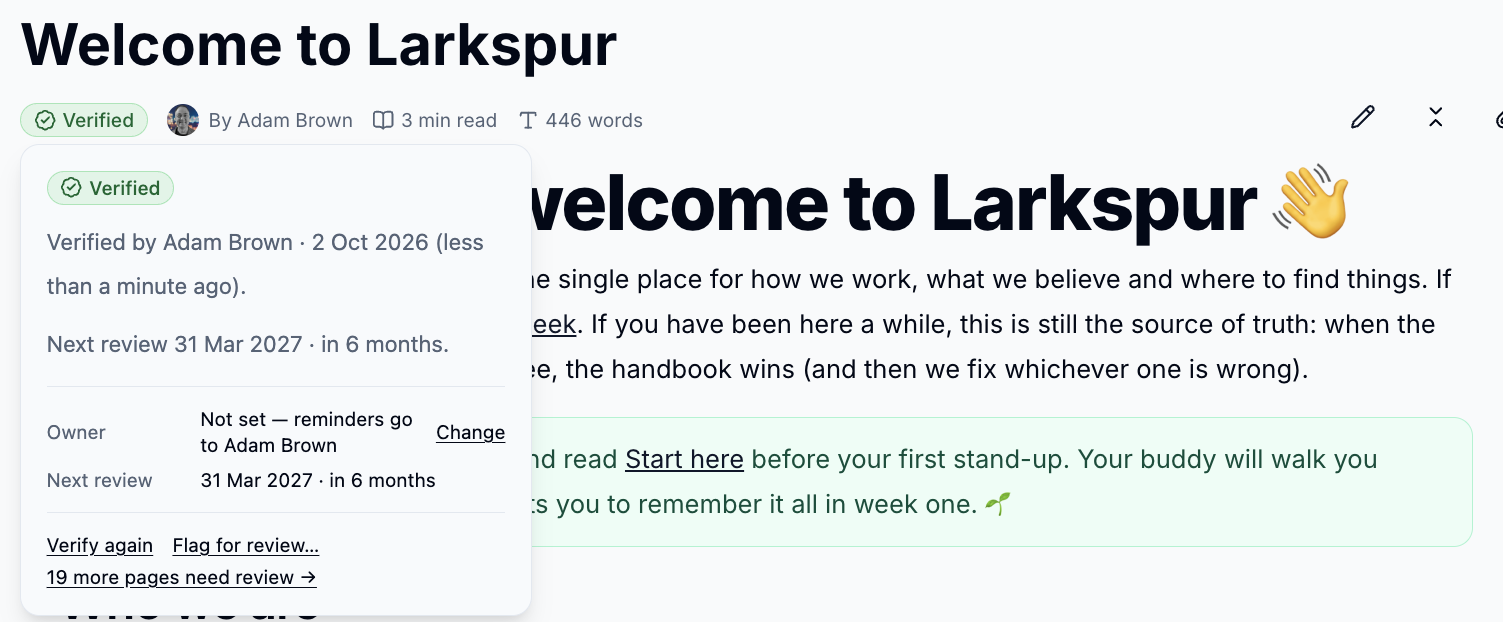
The badge turns green, and the next review date is set.
| Badge | Meaning |
|---|---|
| Verified | Someone has confirmed the page is accurate, and it isn't due for review |
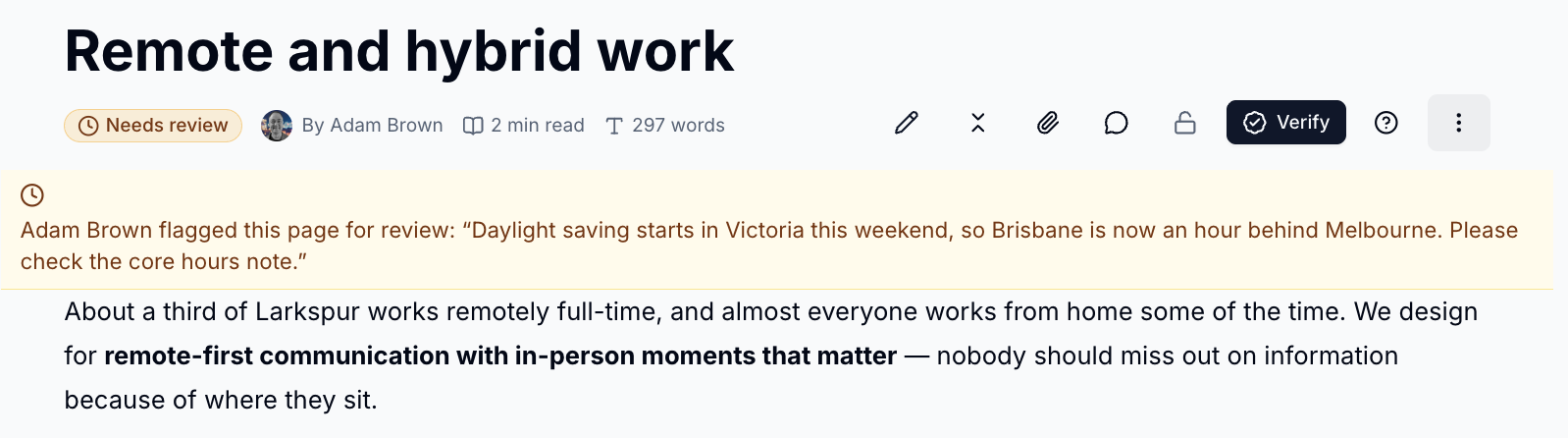
| Needs review | The page was edited since it was verified, its review is overdue, or someone flagged it |
| Not verified | No one has verified the page yet |
Editing clears the badge
Saving a change to a verified page clears its badge until someone verifies it again, and the page owner is told.
Choose a Page Owner
Each page can have an owner who gets the review reminders. Open ⋮ → Page
settings and choose the Owner. You can also change how often that page is
reviewed. See Page Settings.
Without an owner, reminders go to the person who created the page.
Flag a Page for Review
Spotted something out of date? Anyone who can read a page can flag it.
- Click the badge and choose Flag for review…
-
Say why the page needs review and click
Flag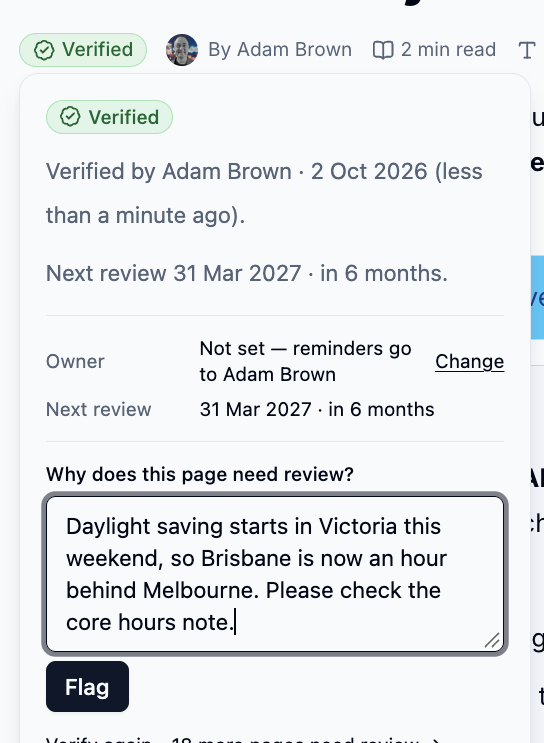
The badge changes to Needs review, a banner shows your note to readers, and the page owner is told.
Review Reminders
Page owners are reminded a week before a review is due, on the day, and then weekly for three weeks. If a page is two weeks overdue, the wiki's owners are told too.
The Reviews Page
Click the clipboard icon next to the wiki name to see every page that needs attention.
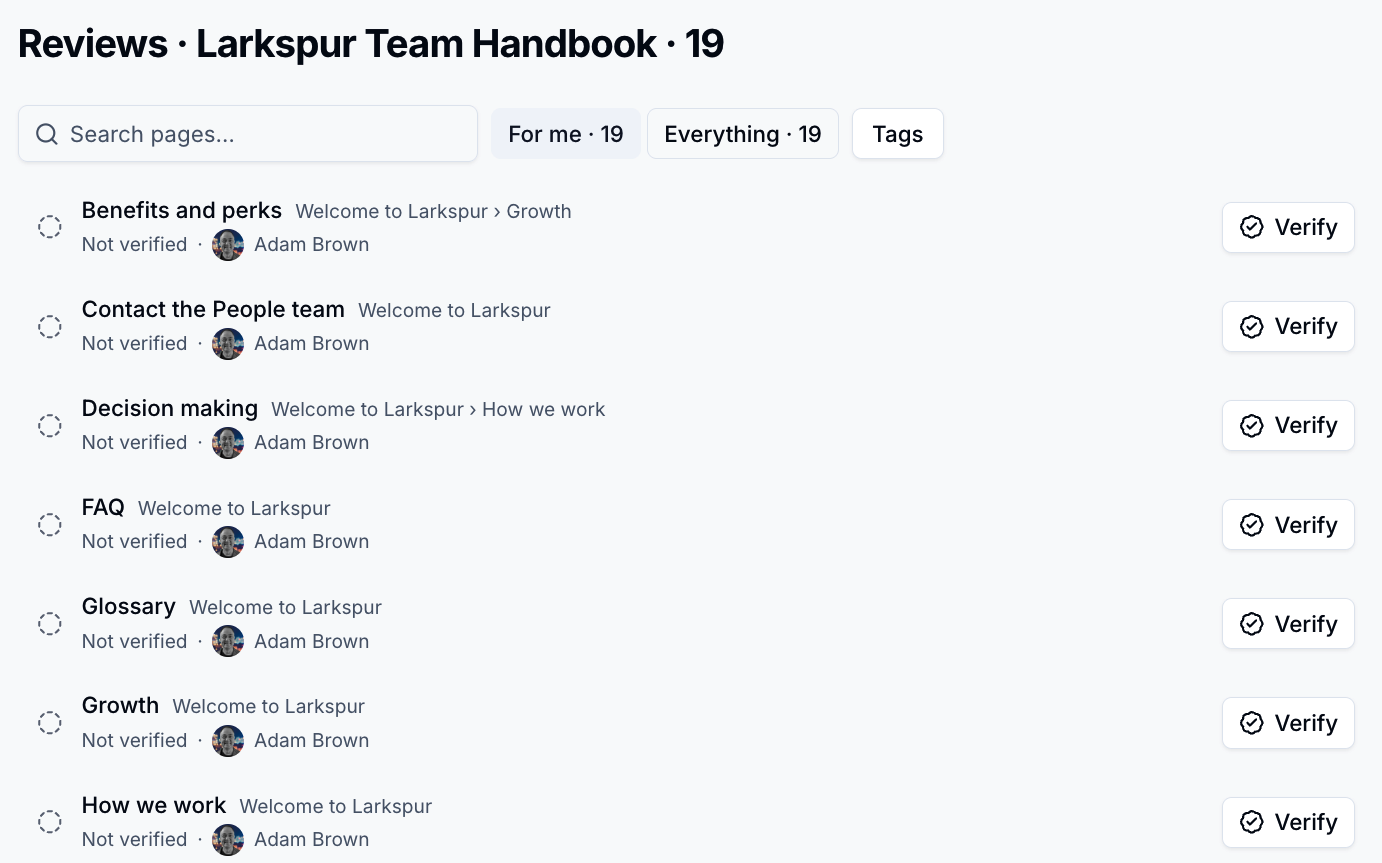
- For me shows pages you can verify that need review, and approvals waiting on you
- Everything shows the whole wiki
- Click
Verifyon a row to verify a page without leaving the list
To require sign-off before changes go live, see Approvals.
Please contact us if you have any questions.