Using latest releases directly from Huddo
You can get the latest versions of Huddo Docker by subscribing to our own repository in Quay.io as follows:
-
Create a Quay.io - Red Hat account if you do not already have one.
-
Email support@huddo.com requesting access to Huddo Docker repository, include your Quay.io account name in the email. We will reply when this is configured on our end.
-
Get secret to use in Kubernetes
-
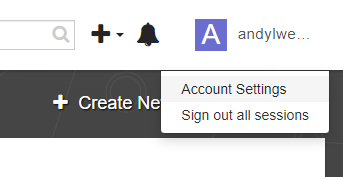
Open Quay.io, In the user menu, click on 'Account Settings'
-
Click
Generate Encrypted Password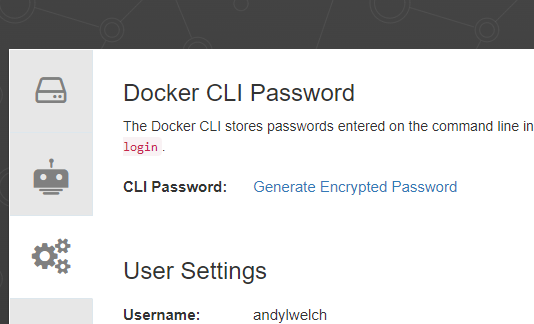
-
Enter your password and click
Verify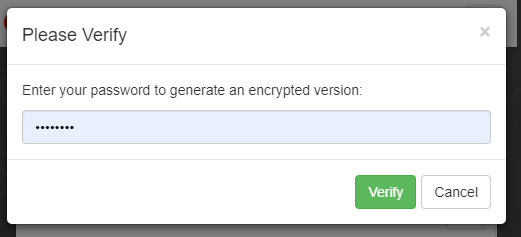
-
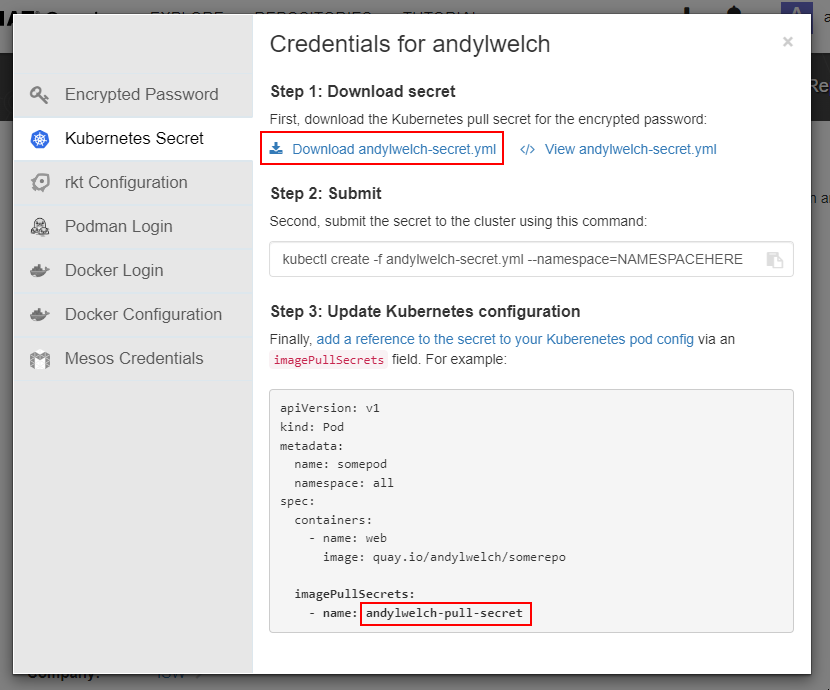
Download the secret.yml file. Take note of the name of the secret for later use
-
-
Use the file downloaded to create the secret (in the required namespace). For example:
# for CP installs
kubectl create -f username-secret.yml --namespace=connections

# for other Kubernetes installs
kubectl create -f username-secret.yml --namespace=huddo
draw.io
Every image above comes from quay.io/huddo and is covered by the pull secret you just created. The optional draw.io diagram editor is the one exception — it is jgraph/drawio on Docker Hub, so the Quay secret does not apply to it and is deliberately not attached to that pod.
Nothing further is needed where the cluster can reach Docker Hub. For an air-gapped install, mirror jgraph/drawio alongside the quay.io/huddo images and point the chart at your copy:
drawio:
  image: registry.internal/mirror/jgraph/drawio
  imagePullSecret: mirror-pull-secret
Anonymous Docker Hub pulls are rate-limited per source IP, so mirroring is worth doing even where egress exists. Keep the tag pinned — the chart pins it because draw.io releases often and the protocol Wikis speaks to the editor is not versioned.