
Huddo Ideas - Latest Updates
Recent changes to Huddo Ideas, newest first. For every Huddo app, see the full release notes.
Nov 5, 2026
- Links now has an Across Huddo list. It shows links used in wiki pages, ideas and comments, newest first, with where each one appears.
Oct 30, 2026
- Organisation admins can assign or remove seats on named Ideas licences from the new Licences section in Huddo Admin.
Oct 27, 2026
- Stage and outcome badges meet WCAG AA contrast.
- The webhook automation keeps working when a creator's profile can't be read.
Oct 15, 2026
- Breadcrumbs in the header.
- The sidebar is now shared with Wikis, so both apps look and work the same.
- Anonymous-voting labs hide voters and enforce the justification rule.
- The lab wizard scrolls as one page.
- A member whose lookup fails is left off the board instead of breaking it.
- Huddo Search has a results page, and labs, ideas and comments are indexed alongside wiki pages.
Oct 12, 2026
- Huddo Ideas is released for early access customers.
Dec 11, 2025
Several new views and features have been added to Ideas over the last few months. Here's an overview of the most notable ones.
Rich text in Idea Lab / Idea descriptions
Lab and idea descriptions now use a rich text editor, the same one used in Huddo Wikis, so you can format text in both Idea Labs and individual Ideas.
You can also upload a hero image for a lab.
Follow Labs and Ideas
Follow an Idea Lab or an individual Idea by clicking the follow icon:
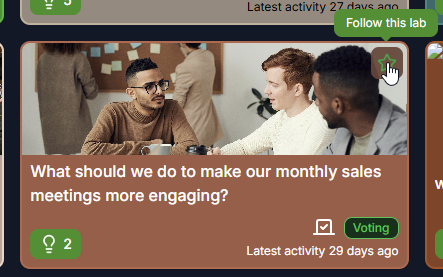
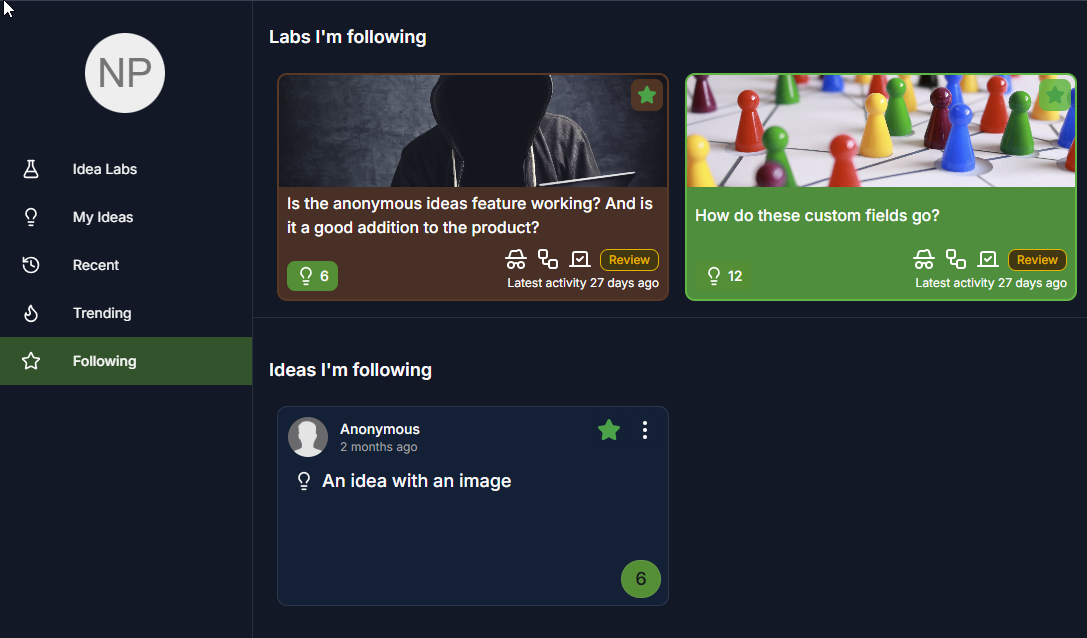
Followed Labs and Ideas appear in the Following view. See Following and Notifications.
Custom Fields
Lab owners can now define custom fields in an Idea Lab:
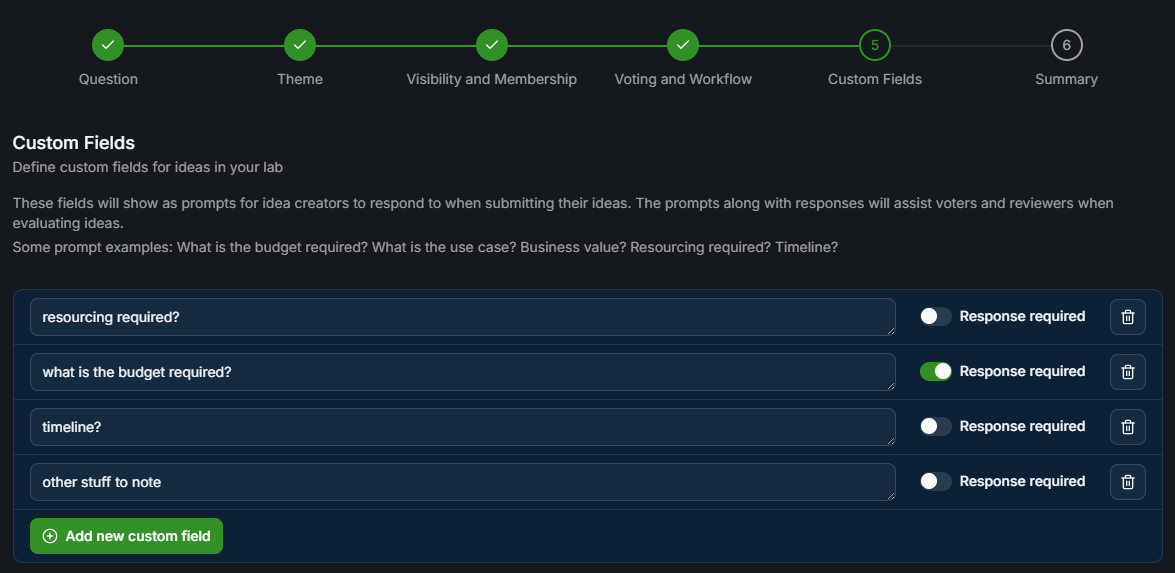
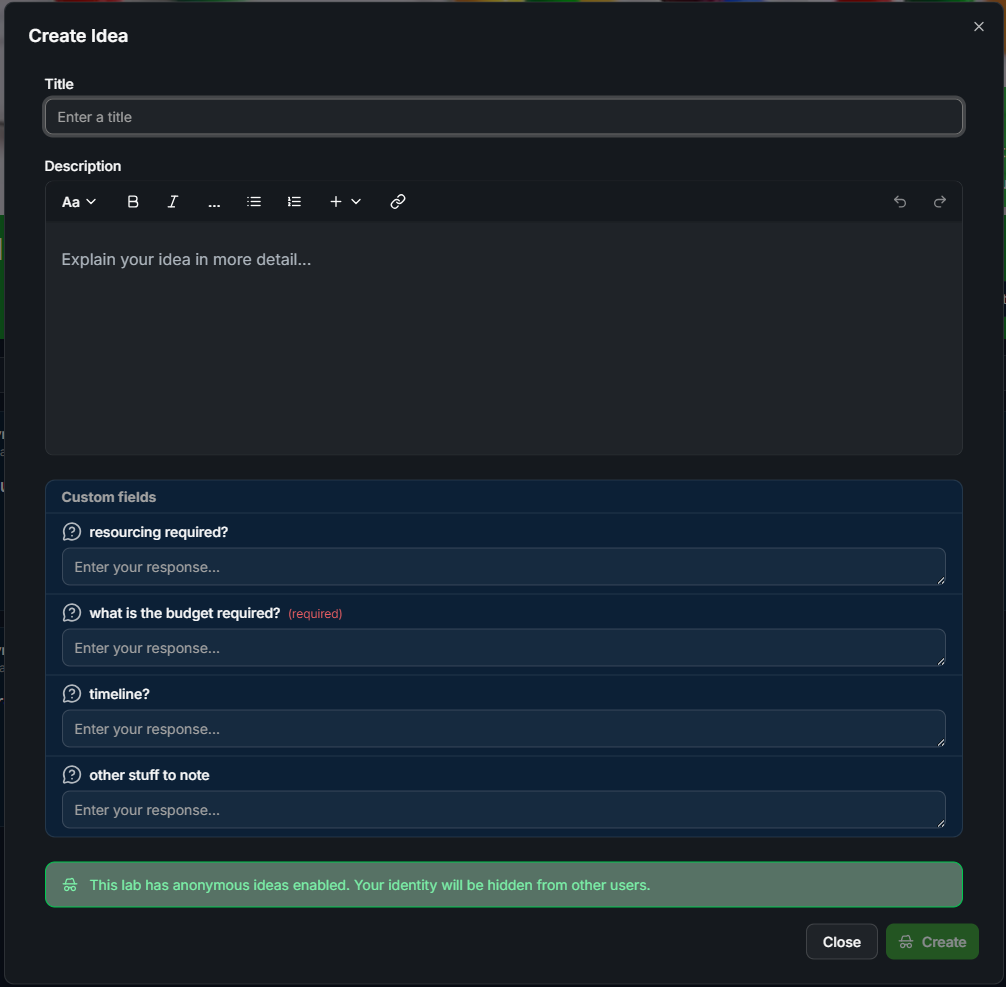
The custom fields show up as prompts when people create an idea in that lab. Mark a field as required if a response is needed. See Custom Fields.
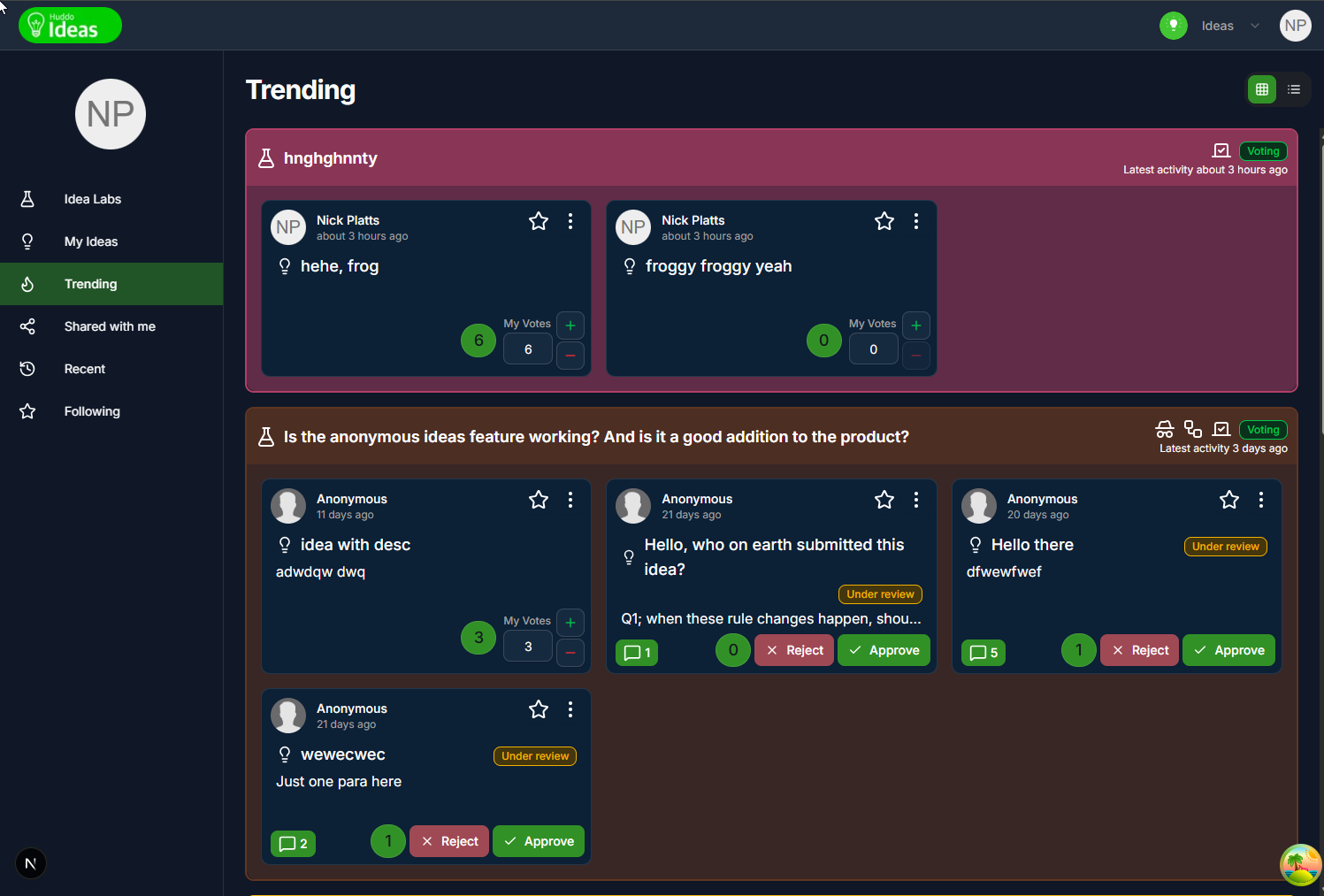
Trending sort and view
Labs can be sorted by trending. Trending is based on voting and idea activity in the last 14 days.
The new Trending view shows the top 20 trending labs, with the ideas in each lab also sorted by trending:
My Ideas
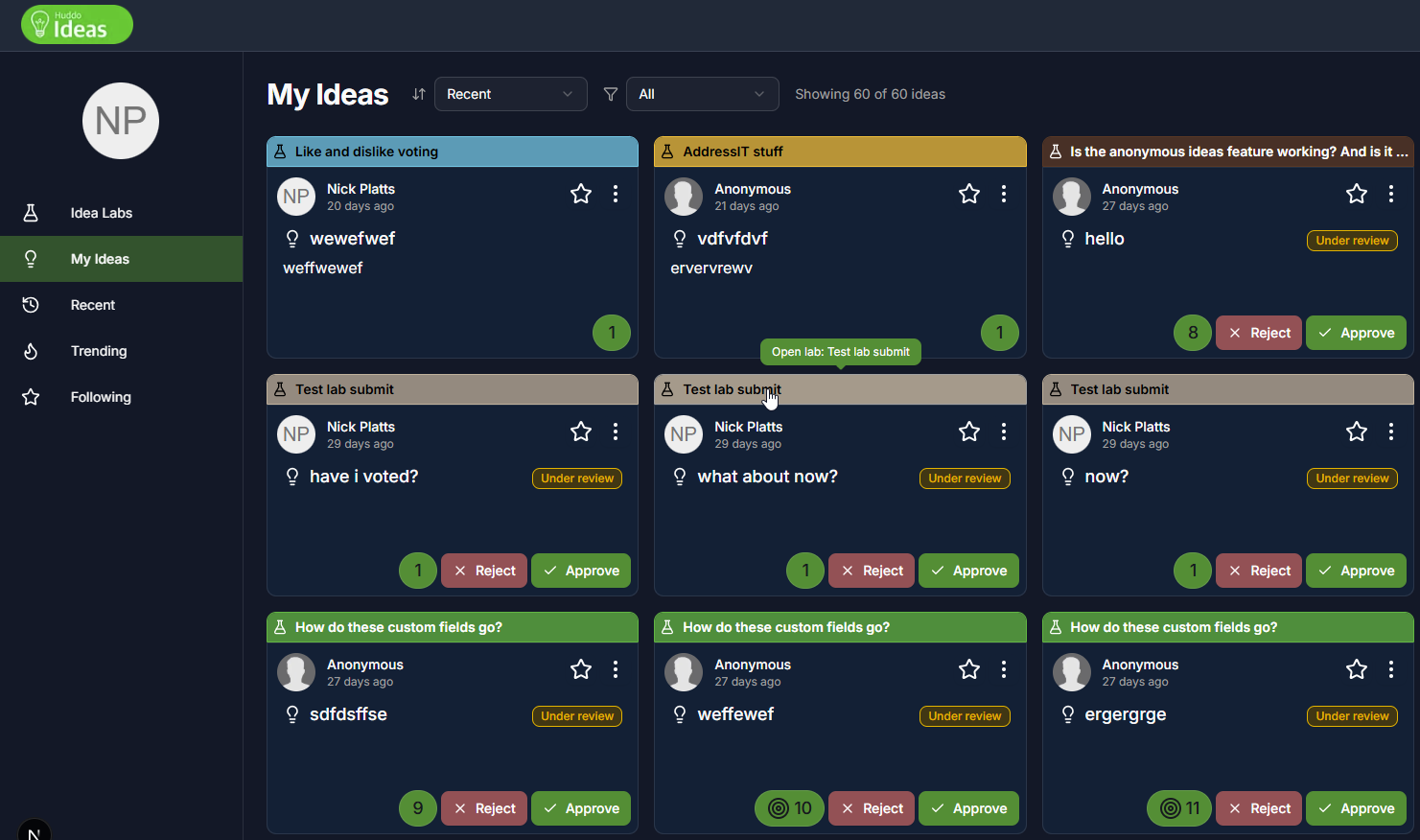
The My Ideas view now lists individual ideas instead of grouping them by lab. The parent lab is shown as a link at the top of each card:
Recent Ideas View
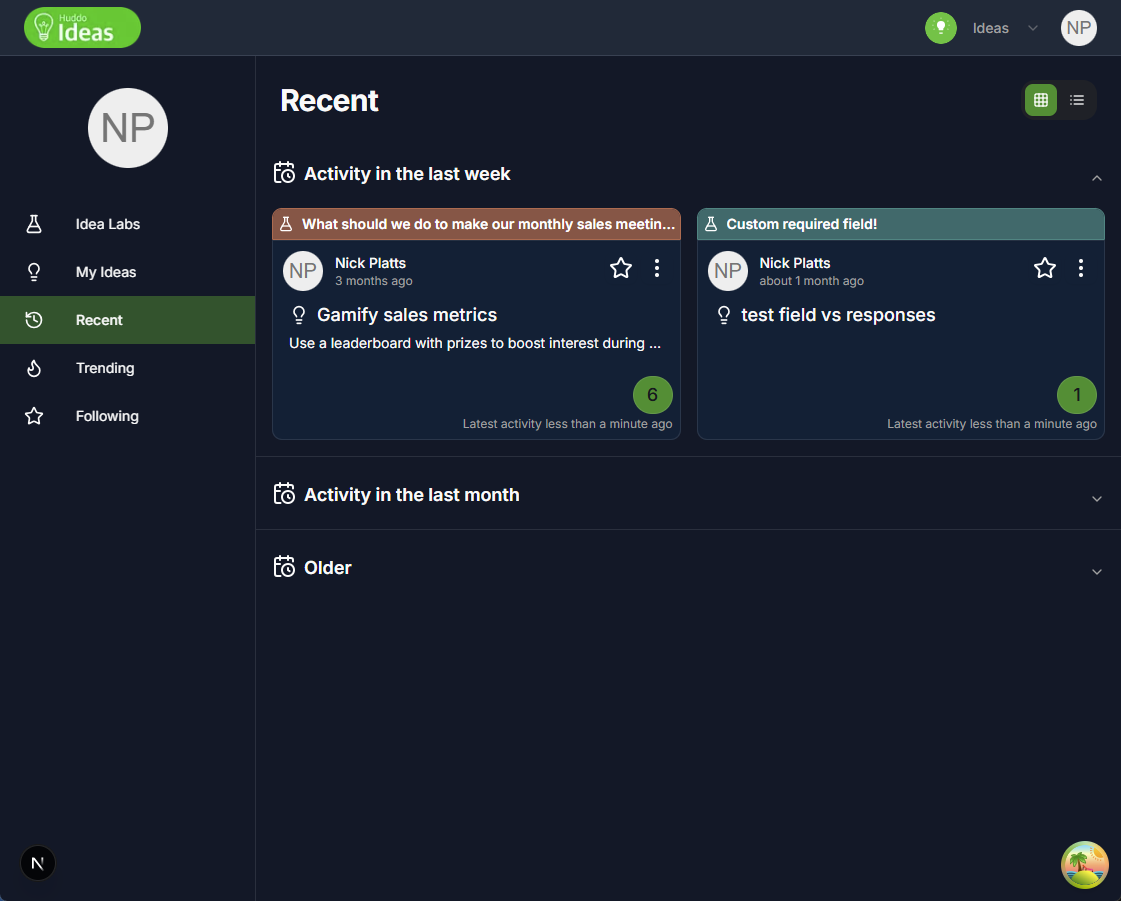
The new Recent view shows ideas sorted by latest activity (votes, then idea updates), grouped into:
-
Activity in the last week, last month, and older
Community Widget
Ideas can be added as a widget in an HCL Connections community. The widget signs in with Connections and shows the community's Idea Labs:
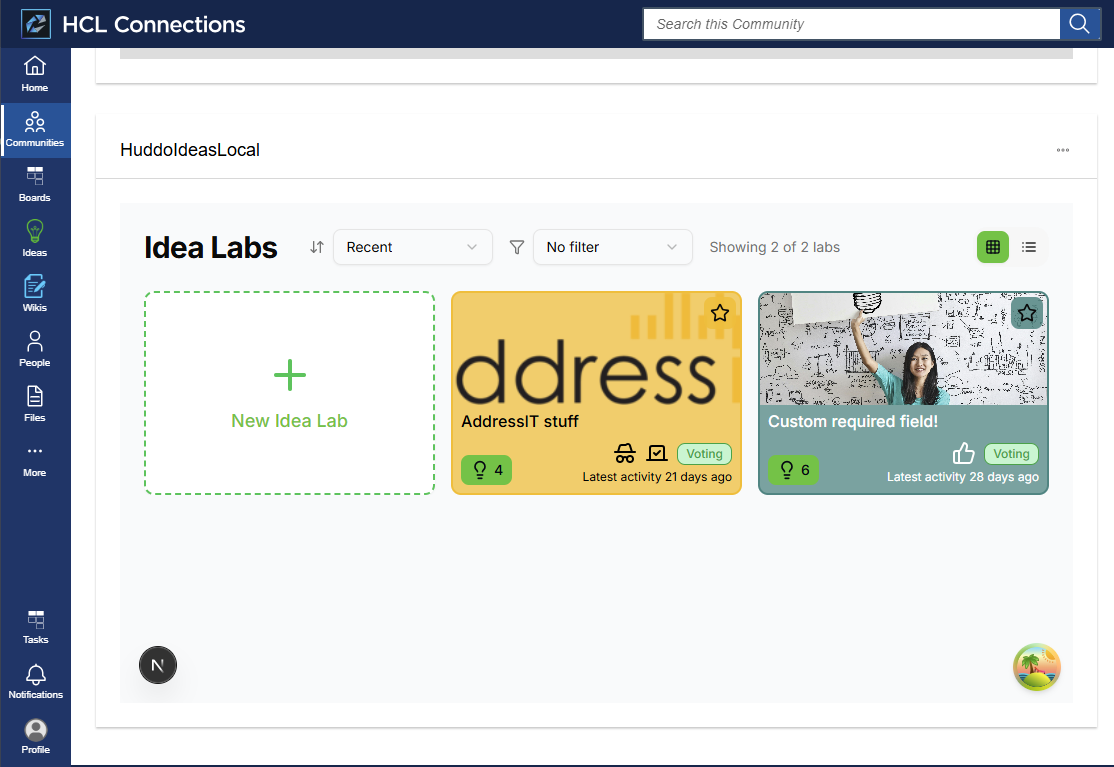
See HCL Connections Widget to set it up.