
Idea Statuses
Every idea moves through a few steps on its way from suggestion to decision. This page explains what each status means and what happens to your idea at each one.
Where to See an Idea's Status
- On the idea card - a badge shows Under review, Successful or Unsuccessful. Hover over the badge for a short description. Ideas still open for voting have no badge
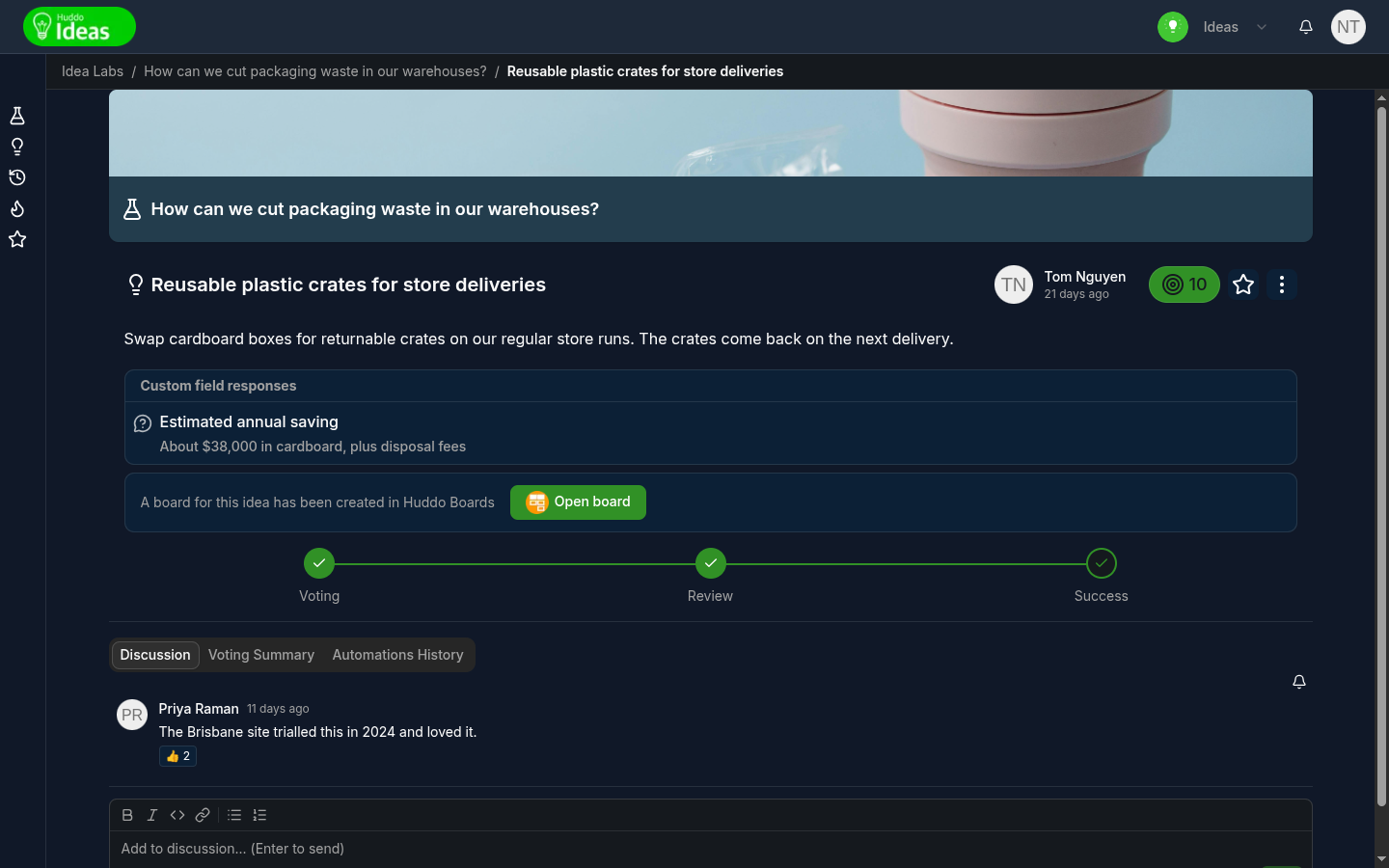
- On the idea page - a progress bar under the idea shows each step, with the current one highlighted and completed steps ticked
The Statuses
| Status | Shown as | What it means |
|---|---|---|
| Voting | No badge. Voting on the progress bar | The idea is open. People can vote on it and discuss it |
| Under review | Under review badge. Review on the progress bar | This idea has been promoted to review stage. Voting on it has closed and reviewers will decide its outcome |
| Pending Promotion | A large green tick on the card. Pending Promotion on the progress bar | The lab's reviewers have selected the idea to be promoted as successful when the lab is completed |
| Successful | Successful badge and a large green tick. Success on the progress bar | This idea has been approved |
| Unsuccessful | Unsuccessful badge. Unsuccessful on the progress bar | This idea has been rejected |
Which steps you see depends on whether the lab uses a workflow. See Voting and Workflow.
Labs With a Workflow
In a lab with a workflow, ideas go Voting → Under review → Successful or Unsuccessful.
An idea moves to Under review when:
- Its votes reach the lab's Voting target. See Voting on Ideas
- The lab's deadline passes and it is one of the top-voted ideas the lab promotes automatically
- A lab owner promotes it by hand
The lab's reviewers then choose Approve or Reject for each idea under
review.
Labs Without a Workflow
In a lab without a workflow, ideas go Voting → Pending Promotion → Successful.
When the lab reaches the Review stage, reviewers tick Promote on the ideas they want to succeed. This marks those ideas Pending Promotion. When the lab is completed, every Pending Promotion idea becomes Successful.
What You Are Told
When your idea goes under review, is accepted or is not accepted, you get a notification. So does everyone following the idea. See Following, My Ideas and Notifications.
Ideas that weren't chosen keep their status when the lab is completed.
For how reviewers make these decisions, see Review and Complete a Lab.
After Success: Open Board
A lab can be set up to create a board in Huddo Boards automatically when an
idea succeeds. When that happens, the idea page shows "A board for this idea
has been created in Huddo Boards" with an Open board button. The idea card
shows the button too. Click it to open the board in a new tab.
See Automations for how this is set up.
Please contact us if you have any questions.