
Review and Complete a Lab
Every idea lab moves through three stages: Voting, Review and Completed. Lab owners and reviewers decide which ideas succeed and when the lab closes. How that works depends on the lab's workflow.
Who Can Review
Only lab Owners and Reviewers see the review controls. See Members and Roles.
Lab Stages
| Stage | What it means | What members can do |
|---|---|---|
| Voting | Submit and vote on ideas | Submit ideas and vote |
| Review | Choosing the winning idea(s) to promote as successful | See the ideas and their votes. Voting is closed and no new ideas can be submitted |
| Completed | Workflow is complete and successful ideas have been selected | See the results. Ideas can no longer be edited |
The stage label at the top of the lab shows when it last changed and who changed it.
Labs with No Workflow
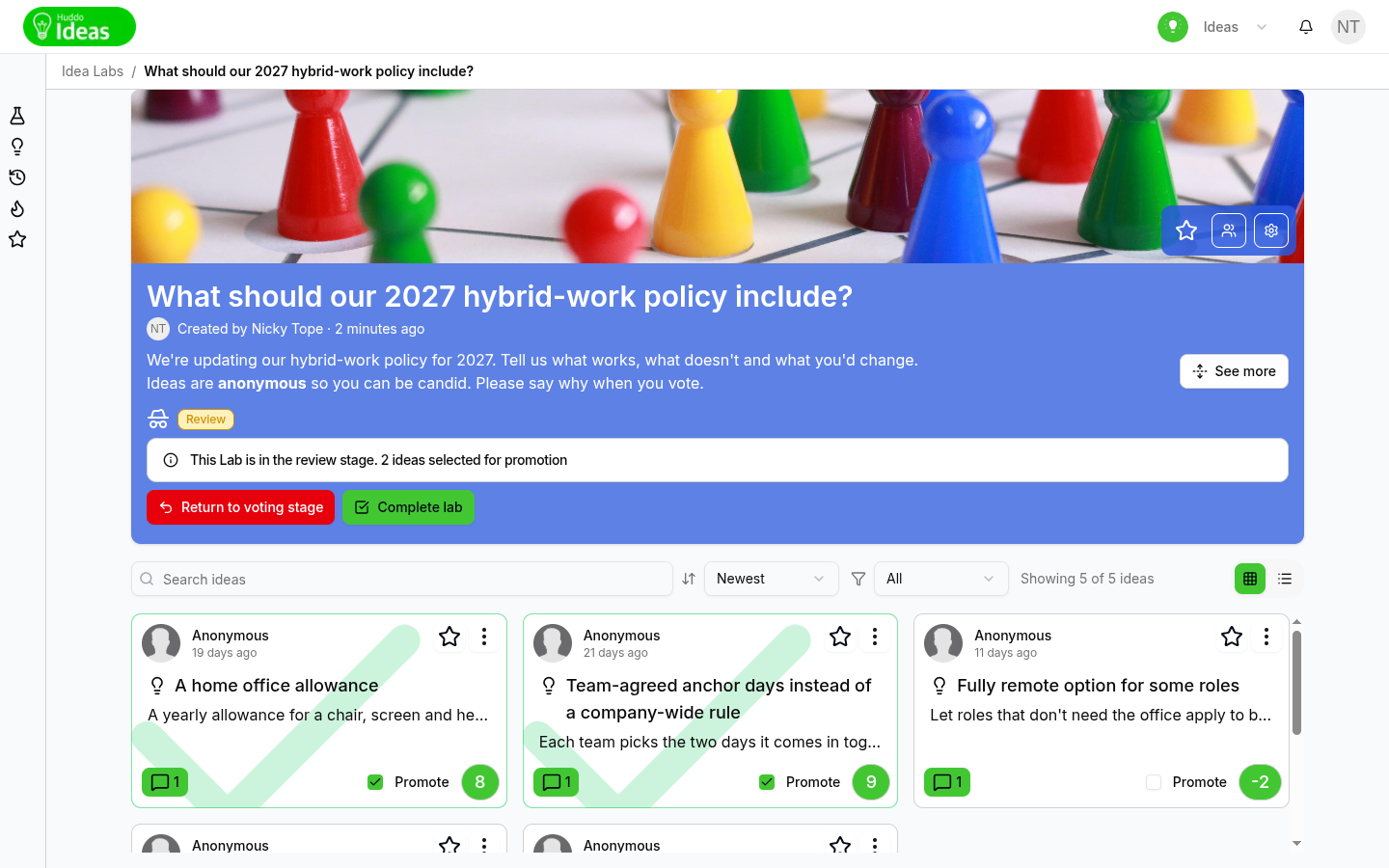
- When voting is done, click
Promote lab to review stage. Voting closes. If you change your mind, clickUndoon the message that appears - Tick Promote on each idea you want to succeed. Its status becomes Pending Promotion, and the banner counts the ideas you've selected
- Click
Complete lab, thenContinueto confirm
The ideas you selected become Successful and the lab is marked Completed.
To reopen voting before you complete the lab, click Return to voting stage.
Labs with the Basic Workflow
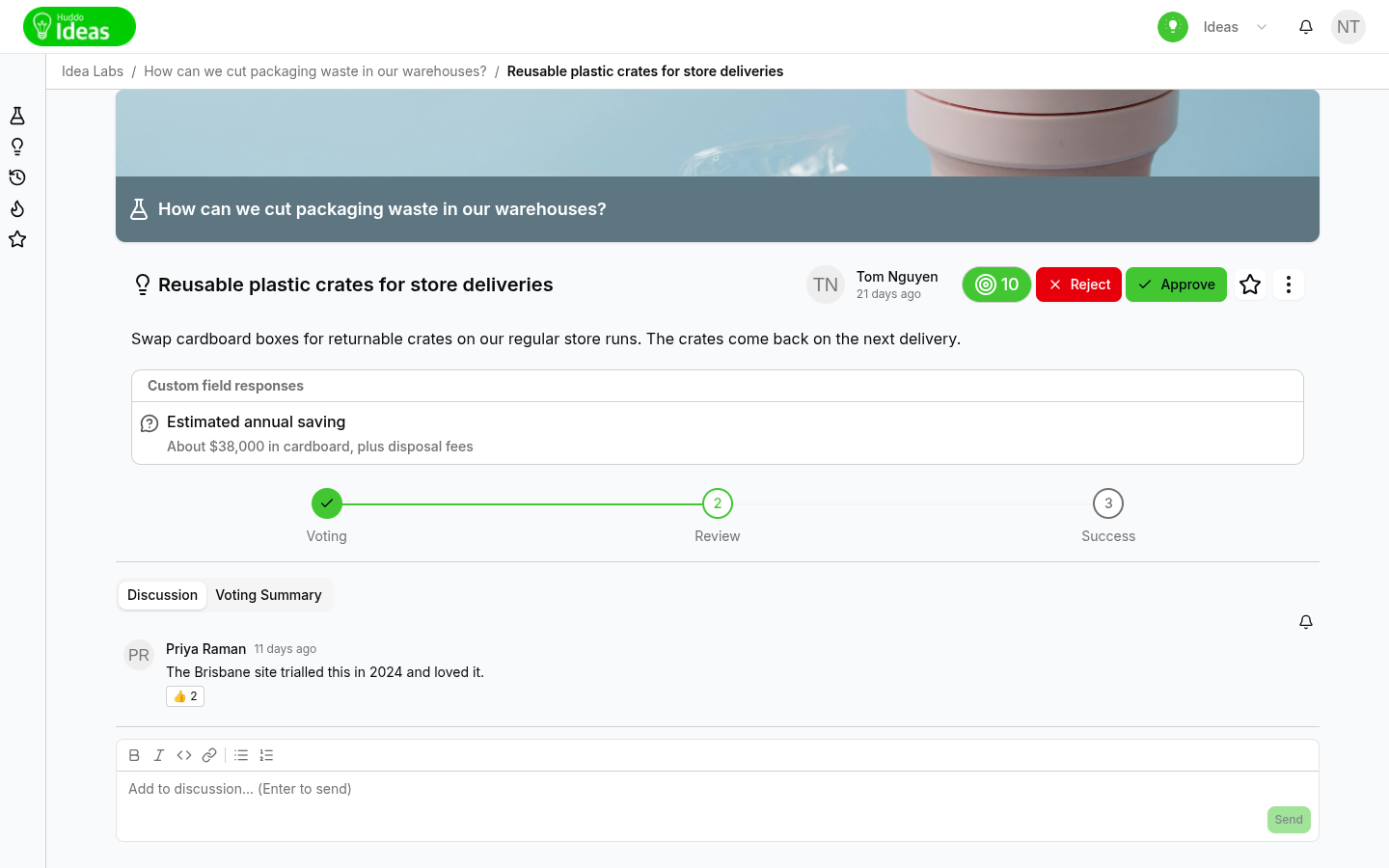
Getting ideas into review. An idea is Under review when:
- it reaches the lab's voting target
- the deadline passes and it is one of the top ideas picked by automatic promotion
- a lab owner opens the idea's menu (⋮) and chooses Promote to review
Approving and rejecting. Each idea under review shows Approve and
Reject. Approved ideas become Successful and rejected ideas become
Unsuccessful. You can do this as soon as an idea reaches review, even while
the rest of the lab is still voting.
Moving the lab to review. If the lab has a deadline, it moves to review
automatically when the deadline passes. If the lab has no deadline, click
Promote lab to review stage. To reopen voting, click Return to voting stage.
Promoting an idea straight to success. While the lab is in review, a lab owner can open any idea's menu (⋮) and choose Promote to successful.
Completing the lab. Click Complete lab. If ideas are still under review,
you must confirm with Continue. Ideas that are still under review when the lab
completes stay under review. Approve or reject them before you complete the lab.
What Happens to Successful Ideas
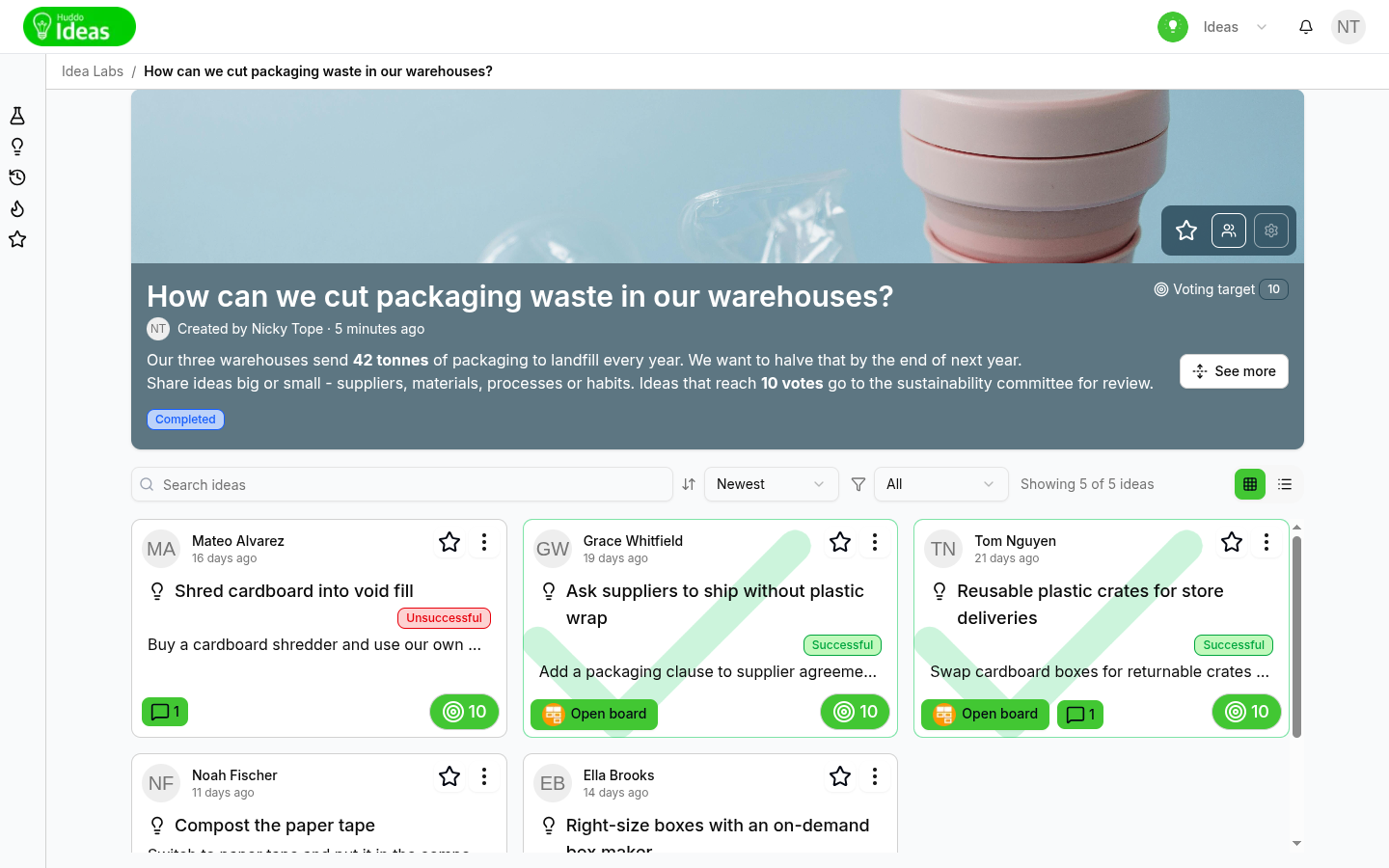
When an idea becomes successful, the lab's automations run for it. For example, Huddo Boards creates a board from the idea and a link to it appears on the idea. Huddo Ideas notifies the idea's author and the idea's followers.
What Contributors See
- Each idea shows its progress, from Voting to Review (or Pending Promotion) and then Success or Unsuccessful
- Ideas carry a status badge: Under review, Successful or Unsuccessful
- Members can filter a lab's ideas by status, such as Voting, Under review or Completed
- The New idea button disappears when the lab leaves the voting stage
Please contact us if you have any questions.