
Files and Attachments
Every page has its own set of files. Attach documents, spreadsheets and other files for people to download, and find every image and video used on the page in one place.
Open the Files Panel
Click the paperclip in the page header. The number next to it shows how many files are attached.
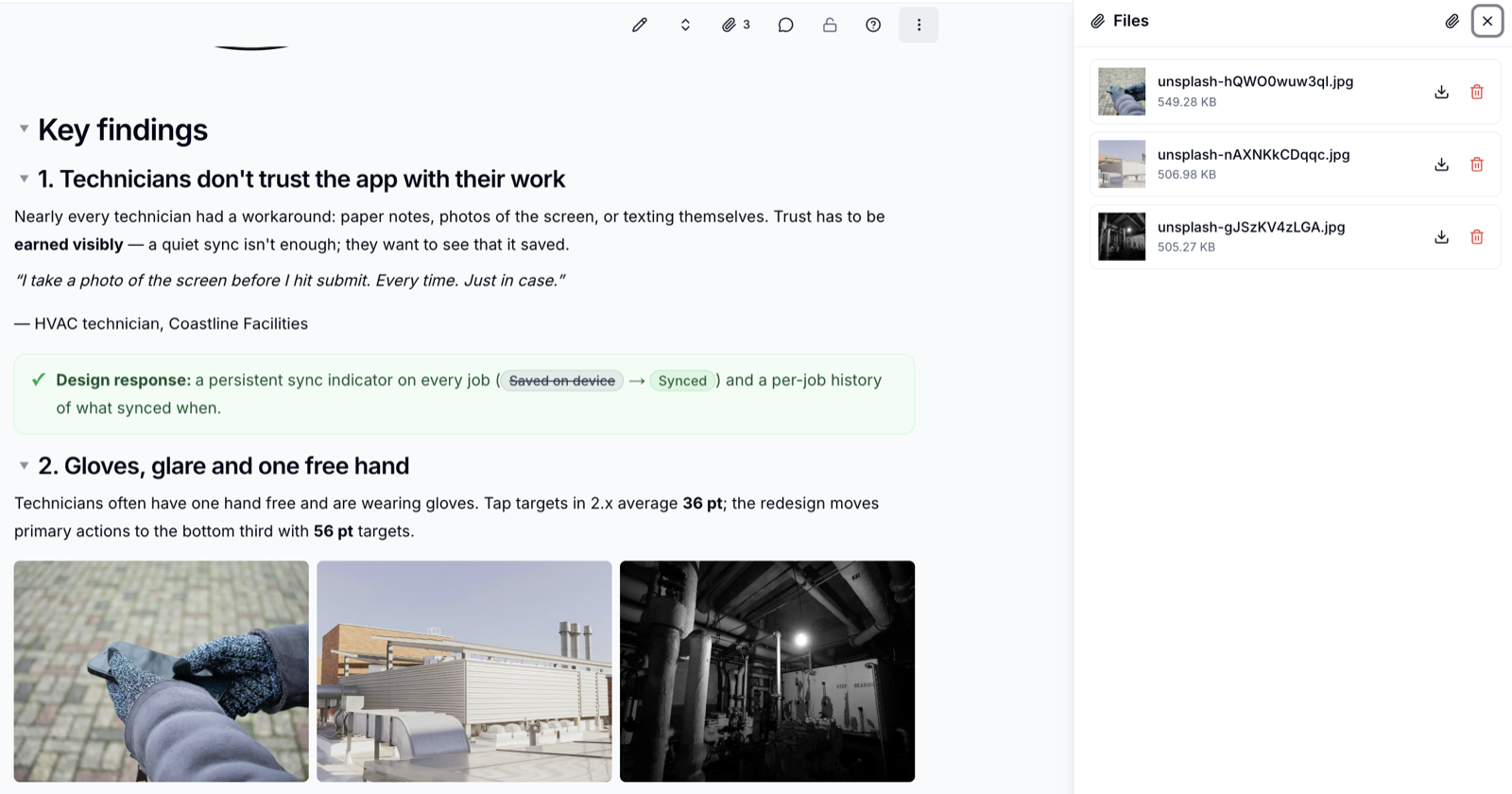
Each file shows its name, size and a preview where possible. Click Download
to save a copy.
Attach Files
- Open the Files panel
- Click
Attach - Choose one or more files (up to 10 MB each)
Editors and Owners can attach and delete files. Readers can see and download them.
What Appears Here
The panel lists everything attached to the page, including the images, galleries, videos and audio you have added to the page body. Files you attach in the panel can be reused in an image or video block from its Existing files tab.
Deleting a file used on the page
If you delete a file that is shown on the page - an image in a gallery, for example - that block will no longer be able to display it.
Please contact us if you have any questions.