Apps Menu / Navigation
HCL Connections 8.0
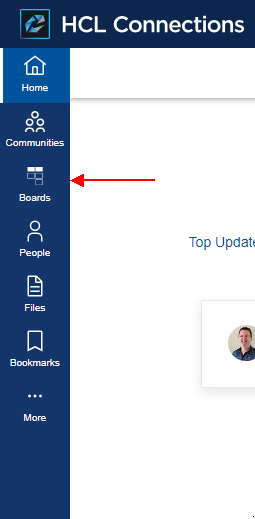
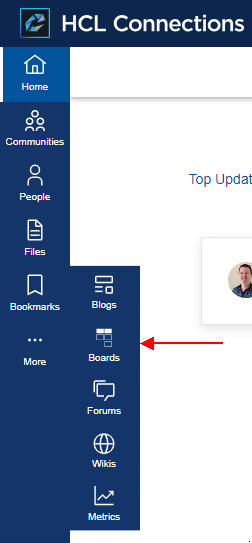
Add Boards, Ideas, Spaces and Wikis to the Connections 8.0 navigation, and remove the Connections Wikis entry so users go to Huddo Wikis instead.
| Top Level | More |
|---|---|
 |
 |
The entries below sit at the top level, between Communities (order 2000) and People (order 3000). Change order to place them elsewhere. Each link signs the user in with Connections and opens the app.
Navigation entries
Boards
If you run Huddo Boards:
{
  "id": "boards",
  "name": "Boards",
  "action": "add",
  "link": "https://[CONNECTIONS_URL]/boards/auth/connections",
  "icon": "https://[CONNECTIONS_URL]/boards/img/logo-white.svg",
  "order": 2100,
  "submenu": [],
  "location": "main"
},
Once Activities are migrated into Boards, you can also remove the Connections Activities entry, id activities, from More in the same way as Wikis.
Ideas
{
  "id": "ideas-menu-nav",
  "name": "Ideas",
  "action": "add",
  "link": "https://[CONNECTIONS_URL]/huddo/auth/connections?redirect_to=/huddo/ideas",
  "icon": "https://[CONNECTIONS_URL]/huddo/ideas/favicon.ico",
  "order": 2200,
  "submenu": [],
  "location": "main"
},
Spaces
{
  "id": "spaces-menu-nav",
  "name": "Spaces",
  "action": "add",
  "link": "https://[CONNECTIONS_URL]/huddo/auth/connections?redirect_to=/huddo/spaces",
  "icon": "https://[CONNECTIONS_URL]/huddo/spaces/icon.svg",
  "order": 2300,
  "submenu": [],
  "location": "main"
},
Wikis
{
  "id": "wikis-menu-nav",
  "name": "Wikis",
  "action": "add",
  "link": "https://[CONNECTIONS_URL]/huddo/auth/connections?redirect_to=/huddo/wikis",
  "icon": "https://[CONNECTIONS_URL]/huddo/wikis/favicon.ico",
  "order": 2400,
  "submenu": [],
  "location": "main"
},
Remove Connections Wikis
The default Connections Wikis entry, id wikis, is under More. Remove it so there is only one Wikis in the menu:
{
  "id": "wikis",
  "action": "remove"
},
Tip
Also disable the Connections Wiki widget, so new communities stop creating Connections wikis.
Links to existing Connections wikis keep working after migration: they take users to the matching Huddo wiki or page.
Customizer
Add the navigation entries to customEntries, as described in the HCL documentation.
Customise nav json file
Tip
This is the recommended approach for environments that do not have Customizer installed.
The side navigation is customisable as per the official documentation.
-
Download the default react-nav.json file.
-
Rename this file to
react-nav-entries.json -
Edit this file:
- Add the Boards, Ideas, Spaces and Wikis entries to the
navbarmenus.main_menusarray, between Communities and People - Delete the Connections Wikis entry,
"id": "wikis", from thesubmenuof the More entry
- Add the Boards, Ideas, Spaces and Wikis entries to the
-
Place this customised file on your Shared Drive at this location:
<SHARED_DRIVE>/customization/common/ui/cnx8-react/react-nav-entries.jsonFor example:
/nfs/data/shared/customization/common/ui/cnx8-react/react-nav-entries.json -
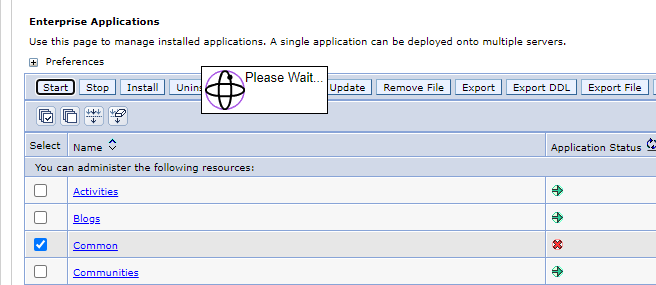
Restart the
Commonapplication via the ISC to apply the changes