
Voting on Ideas
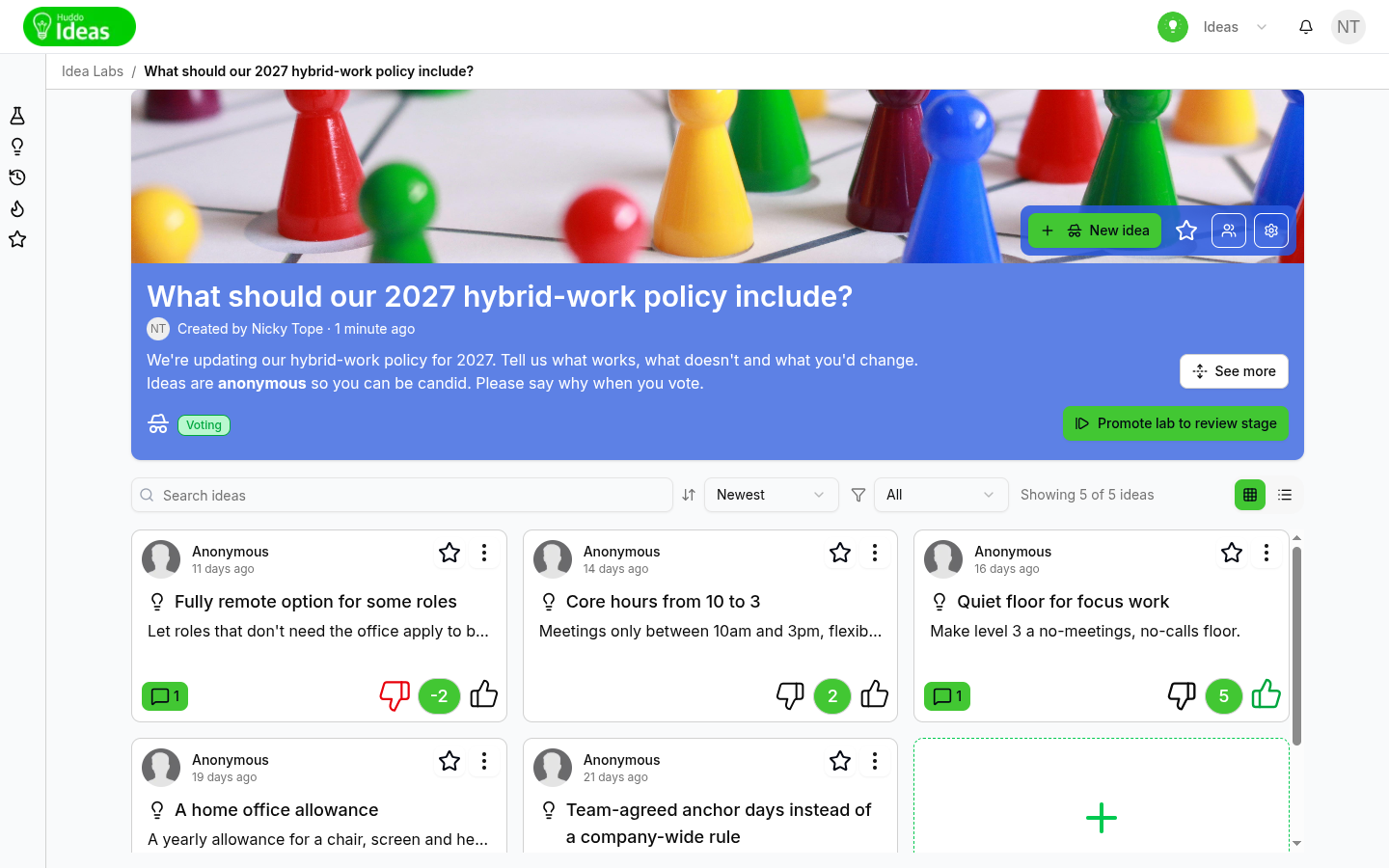
Voting is how a lab finds its strongest ideas. Each lab uses one of three voting types, chosen by the lab owner. You can vote while the lab is in the Voting stage, on any idea that is still open for voting.
To see which voting type a lab uses, hover over the voting icon on its card.
Like
Click the thumbs-up on an idea to like it. Click it again to take your like back (Un-like this idea).
Each person can like an idea once, so the number beside the thumb is the number of people who like it.
Like/Dislike
Click the thumbs-up to like an idea, or the thumbs-down to dislike it. Each like adds one to the total and each dislike takes one away.
- Click the thumbs-down again to cancel your dislike (Cancel dislike)
- Click the thumbs-up again to take back your like
Voting Pool
In a Voting Pool lab, everyone gets the same number of votes to share out between ideas however they like. Put them all on one idea, or spread them across several.
- Find an idea you want to back
- Click
+to add a vote, or−to take one back. My votes shows how many of your votes this idea has -
Watch the counter in the lab header, for example 3 / 25 of my votes allocated

When all your votes are allocated, the + buttons are turned off. Take votes
back from one idea to give them to another.
Your votes are saved after a short pause
Click + or − as many times as you like. Your votes are sent a moment after you stop clicking.
Justify Your Vote
Some labs ask you to explain your vote. When you vote on someone else's idea, a box asks: "Please provide a comment to support your voting decision:"
- Type your reason (at least six characters), then click
Submit - If the lab only prompts for a reason, you can click
Skipinstead - If the lab requires a reason, there is no
Skipbutton. Your vote counts only after you submit a comment
Your comment is added to the idea's Discussion tab under your name, so everyone can see why you voted. You aren't asked to justify votes on your own ideas. In a Voting Pool lab, you are asked the first time you give votes to an idea.
Voting Targets
Labs with a workflow can set a Voting target, shown in the lab header. When an idea's total reaches the target, the idea moves to Under review automatically. The target icon then appears beside its vote total, and voting closes on that idea.
Huddo Ideas does not accept a vote that takes an idea past its target. When an idea reaches half of its target, Huddo Ideas notifies its author.
See Idea Statuses for what happens next, and Voting and Workflow for how owners set targets.
When Voting Closes
The voting controls disappear when:
- The lab moves to the Review or Completed stage
- The idea has moved on to Under review or beyond
- You are a Reader in the lab. See Members and Roles
The vote total stays visible on every idea.
Voting Summary
Open an idea and click the Voting Summary tab to see who has voted on it. The tab appears when the idea has at least one vote. Each row shows the person, their vote and how long ago they voted. Hover over the time to see the exact date.
Anonymous voting
If the lab has anonymous voting turned on, the Voting Summary tab isn't shown, so nobody can see how individuals voted. Labs with anonymous voting don't ask you to justify your vote either.
Please contact us if you have any questions.