Page Settings
Each page has a few settings of its own: the spellcheck language, who owns it, how wide it reads, its banner and its short summary. You need to be able to edit the page to change them.
The Page Settings Dialog
Click ⋮ (Page options) and choose Page settings.
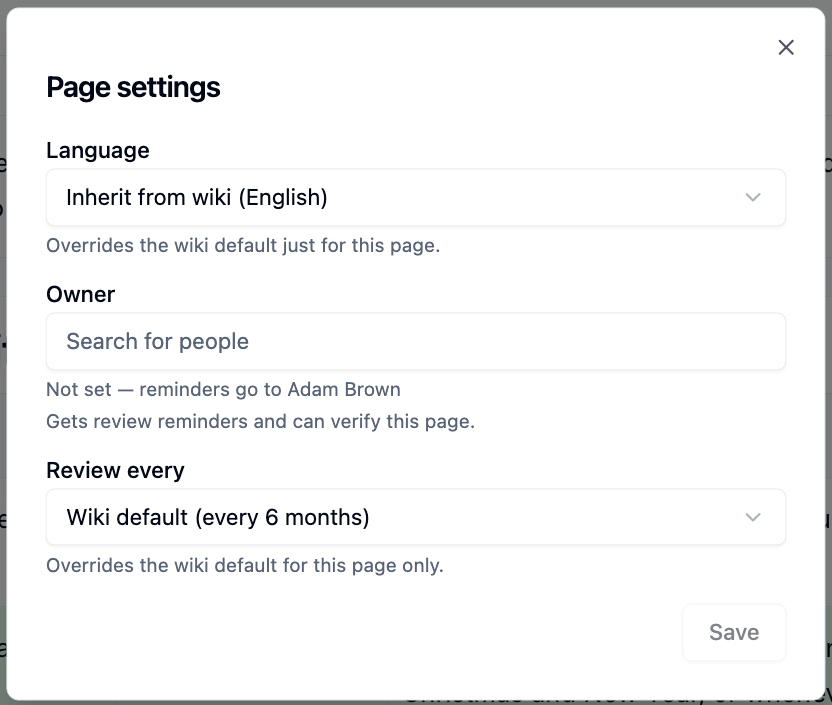
| Setting | What it does |
|---|---|
| Language | The spellcheck language for this page. By default it follows the wiki |
| Owner | Who gets review reminders and can verify the page |
| Review every | How often this page needs re-checking, overriding the wiki's default |
Owner and Review every appear only when the wiki uses verified pages.
Reading Width
While editing, hover over the page title and click Reading width.
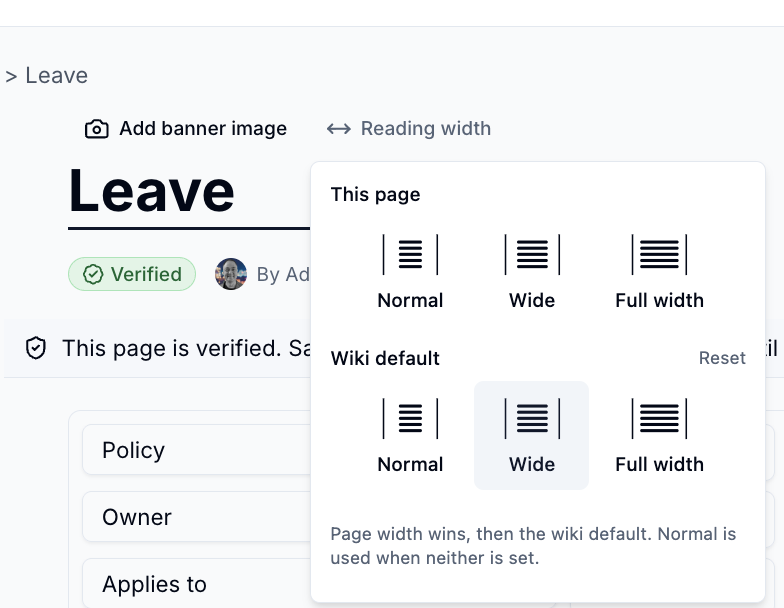
- This page - Normal, Wide or Full width for just this page
- Wiki default - the width for every page in the wiki that hasn't set its own
Wide pages give tables, columns and galleries more room.
Banner Image
While editing, hover over the page title and click Add banner image - or use
Edit banner image in the page menu. Search for a photo, pick an attachment or
upload your own, then drag to reposition it and choose whether it is contained
or stretched. Click Apply to save.
Excerpt
An excerpt is a one-line summary, up to 120 characters, shown in page lists, search results and Child pages blocks. Choose Add excerpt in the page menu to write one.
Please contact us if you have any questions.