
Keyboard Shortcuts
Keep your hands on the keyboard while you write. The shortcuts below work in
the page editor. On a Mac, use Cmd wherever you see Ctrl, Option for
Alt, and Control for Ctrl+/.
See Them in the App
Click the ? icon (Editor help) in the page header, or press ? when you are
not typing, to open the full list.
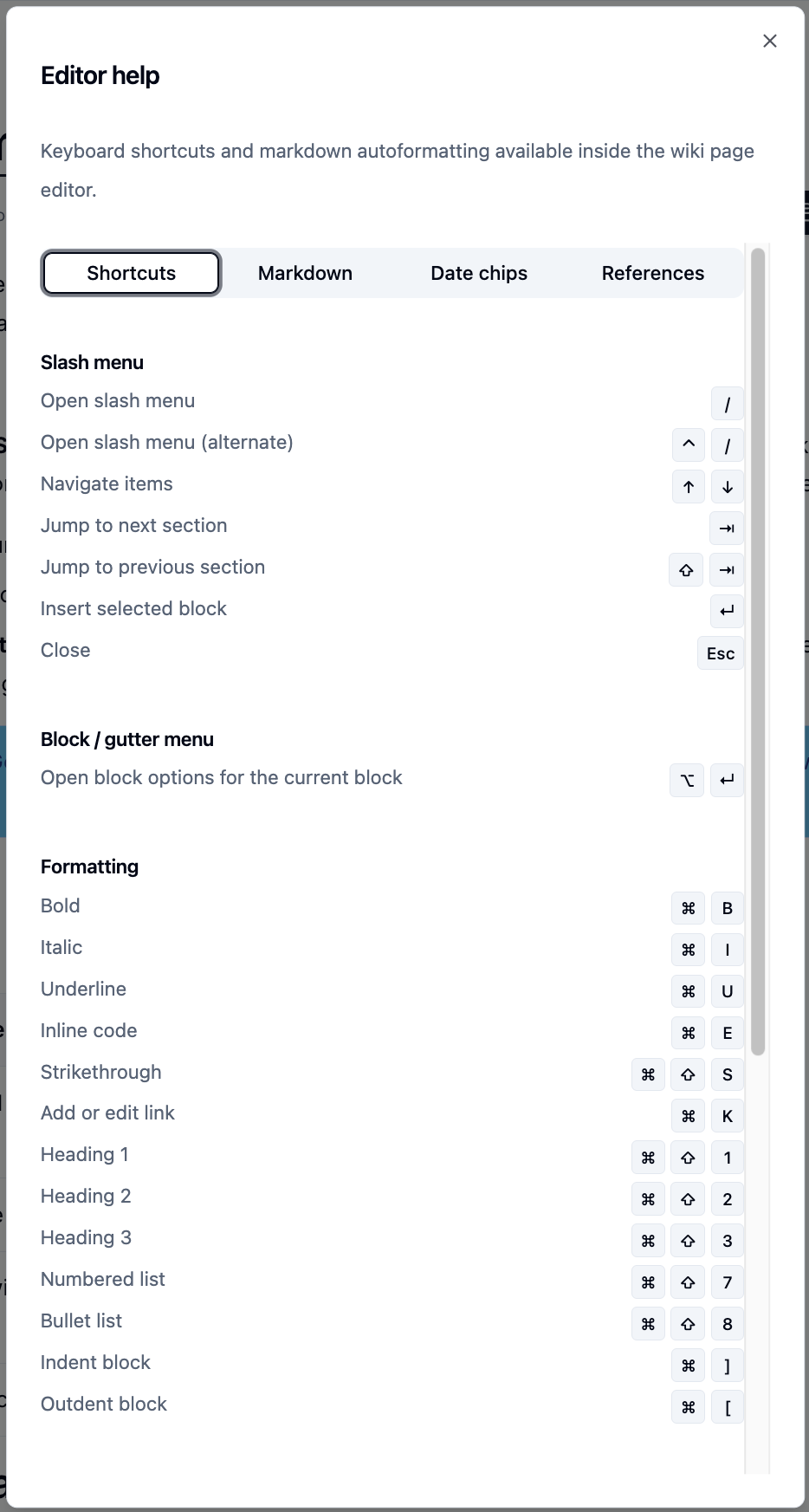
The dialog has four tabs: Shortcuts, Markdown, Date chips and References.
Formatting
| Action | Shortcut |
|---|---|
| Bold | Ctrl+B |
| Italic | Ctrl+I |
| Underline | Ctrl+U |
| Inline code | Ctrl+E |
| Strikethrough | Ctrl+Shift+S |
| Add or edit link | Ctrl+K |
| Heading 1 to 5 | Ctrl+Alt+1 to 5 |
| Numbered list | Ctrl+Shift+7 |
| Bullet list | Ctrl+Shift+8 |
| Indent / outdent block | Ctrl+] / Ctrl+[ |
Blocks and Navigation
| Action | Shortcut |
|---|---|
| Open the slash menu | / or Ctrl+/ |
| Open block options for the current block | Alt+Enter |
| Indent / outdent a list item | Tab / Shift+Tab |
| Undo | Ctrl+Z |
| Redo | Ctrl+Shift+Z |
| Leave the editor | Esc |
Find in Page
| Action | Shortcut |
|---|---|
| Open the find bar | Ctrl+F |
| Next / previous match | Enter / Shift+Enter |
| Close the find bar | Esc |
Markdown as You Type
| Type this | To get |
|---|---|
# to ##### |
Heading 1 to Heading 5 |
-, * or + |
Bullet list |
1. |
Numbered list |
[ ] |
Task list item |
> |
Quote |
--- |
Divider |
``` |
Code block (type the language after the backticks) |
**text** |
Bold |
*text* or _text_ |
Italic |
~~text~~ |
Strikethrough |
`text` |
Inline code |
[text](url) |
Link |
Pasted Markdown is converted too.
Dates and Footnotes
| Type this | To get |
|---|---|
@today, @tomorrow, @yesterday |
A date chip for that day |
@+5b |
A date five business days from today |
@-3b |
A date three business days ago |
[^ |
A new footnote |
Date chips turn amber when the date is less than a day away and red once it has passed. Hover over a chip to add it to your calendar.
Elsewhere
| Where | Action | Shortcut |
|---|---|---|
| Comment box | Post the comment | Ctrl+Enter |
| Comparing versions | Next / previous change | n / p |
Please contact us if you have any questions.