
Diagrams and Maths
Explain a process with a flowchart, a project with a Gantt chart, or a formula with properly typeset maths - all written as text, so they are quick to change and easy to keep up to date.
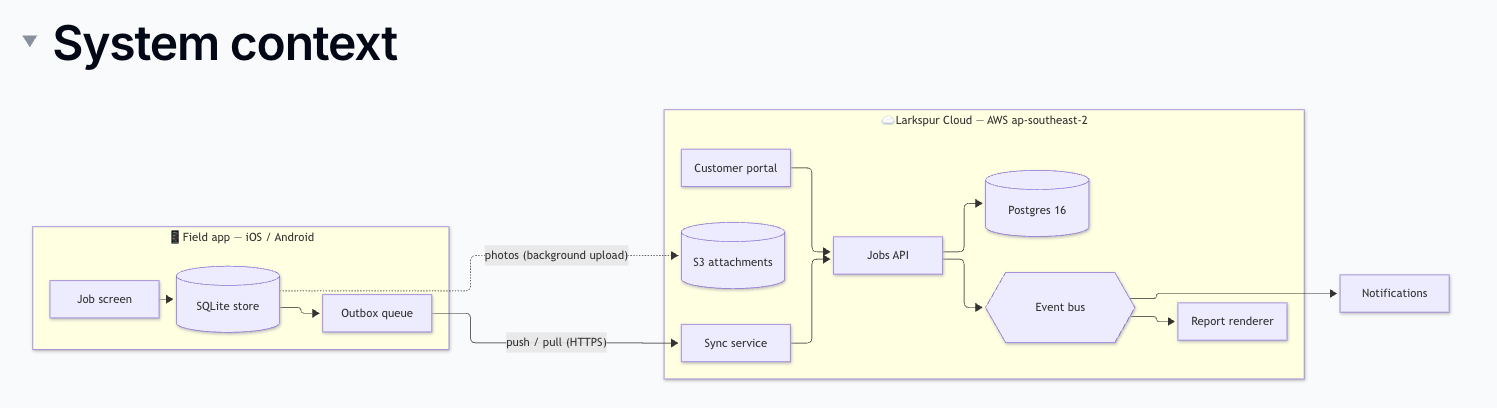
Mermaid Diagrams
Mermaid turns a few lines of text into a diagram. It supports flowcharts, sequence diagrams, Gantt charts, state diagrams, pie charts and more.
- Type
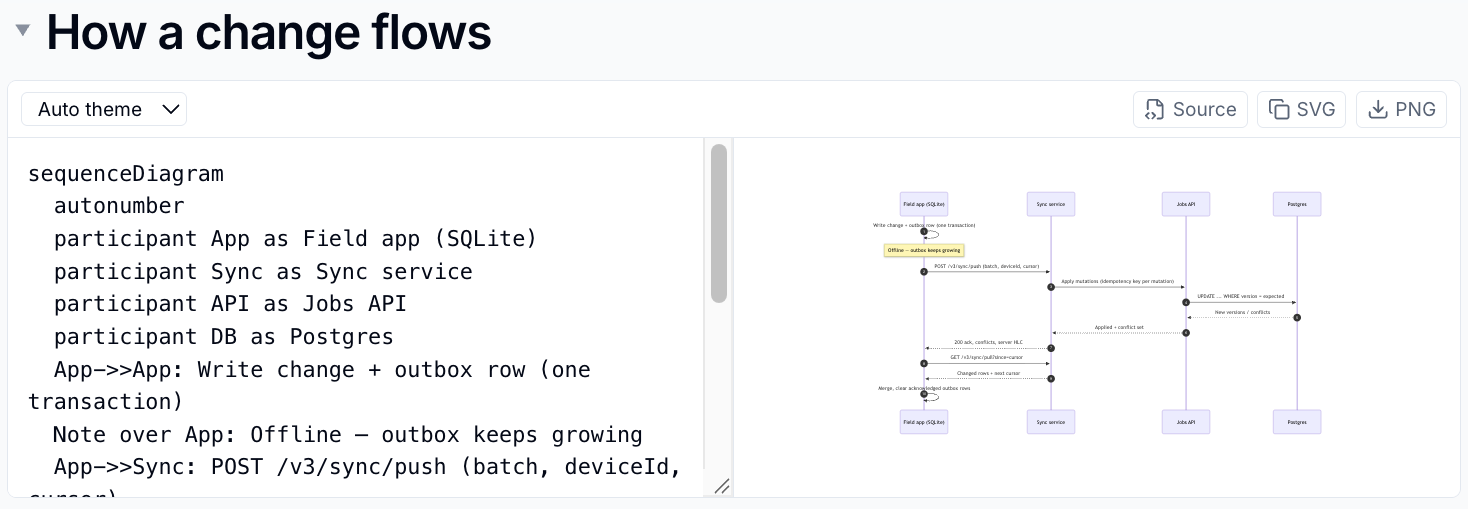
/mermaidand choose Diagram (Mermaid) -
Type the diagram source on the left. The preview on the right updates as you type
-
Click away from the editor to finish
For example, this source:
flowchart LR
    Request --> Review --> Approved
    Review --> Changes[Changes needed] --> Request
draws a simple approval flow.
Use the diagram toolbar to choose a light or dark theme, copy the source or SVG, or download a PNG. Readers can click a diagram to open it full size.
Learn the syntax
The Mermaid documentation has examples of every diagram type. If the source has a mistake, the error appears in the preview so you can fix it.
draw.io Diagrams
For hand-drawn diagrams, choose Diagram (draw.io), then click Edit diagram to open the draw.io editor. Save in draw.io to place the diagram on the page, then save the page as usual.
Availability
Diagram (draw.io) appears only where your administrator has enabled draw.io.
Maths
Huddo Wikis typesets maths written in LaTeX.
| To add | Do this |
|---|---|
| A block equation | Type $$ on an empty line, or choose Math |
| Inline maths in a sentence | Type the expression between single dollar signs, such as $E=mc^2$, or choose Inline math |
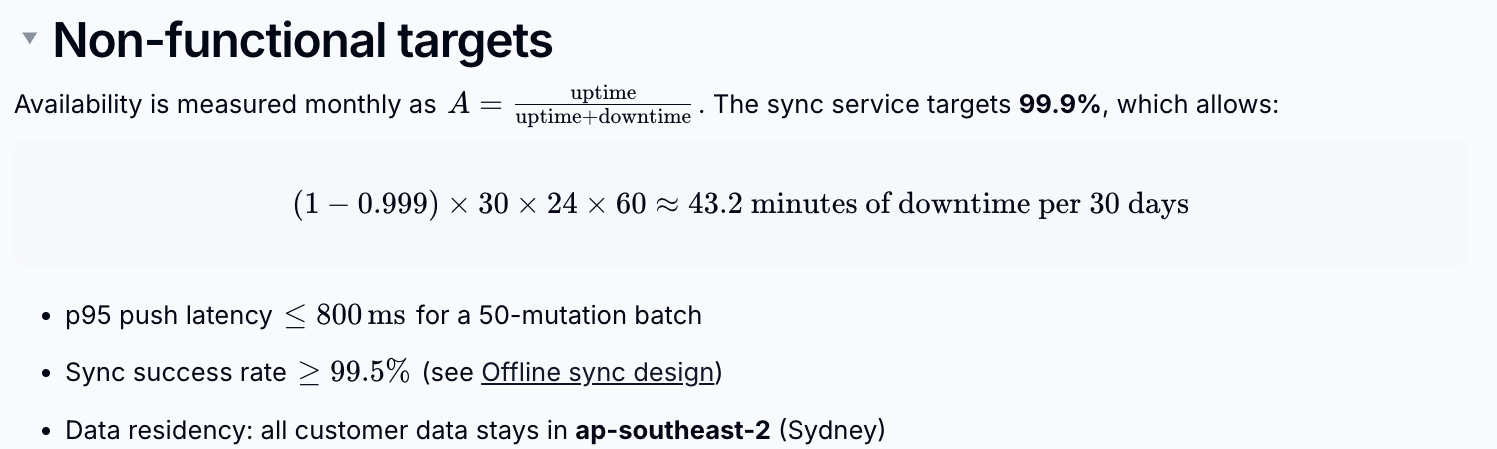
Type the LaTeX and check the live preview. Press Shift+Enter to finish a
block equation, or Enter for inline maths. Esc cancels.
Watch your dollar signs
Text between two dollar signs, such as $5 and 10$, can be turned into maths. Undo with Ctrl+Z if it happens by accident.
Please contact us if you have any questions.