
What is a Space
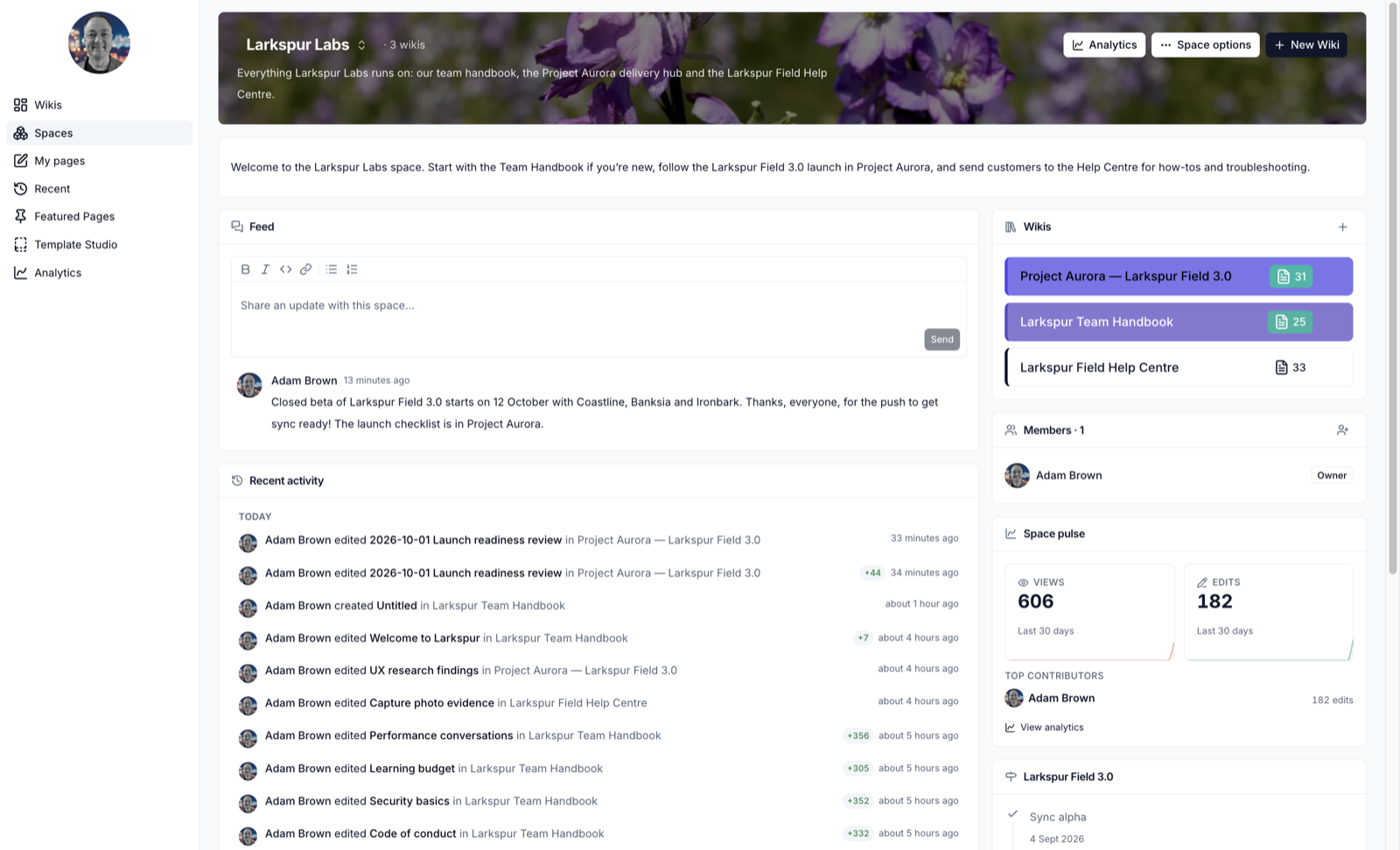
A space brings a team's wikis together in one place, with a dashboard that shows what is happening across all of them. Use a space for a department, a project or a customer - anything that has more than one wiki.
What a Space Gives You
- One home for related wikis - the team handbook, the project hub and the help centre sit side by side
- One member list - everyone in the space can edit every wiki in it by default. Add a person to the space once instead of to each wiki
- A dashboard - a feed for team updates, recent activity across the wikis, and widgets such as announcements, milestones, countdowns and goals
- Space analytics - reading and editing across all of the space's wikis
A wiki can belong to more than one space.
Find a Space
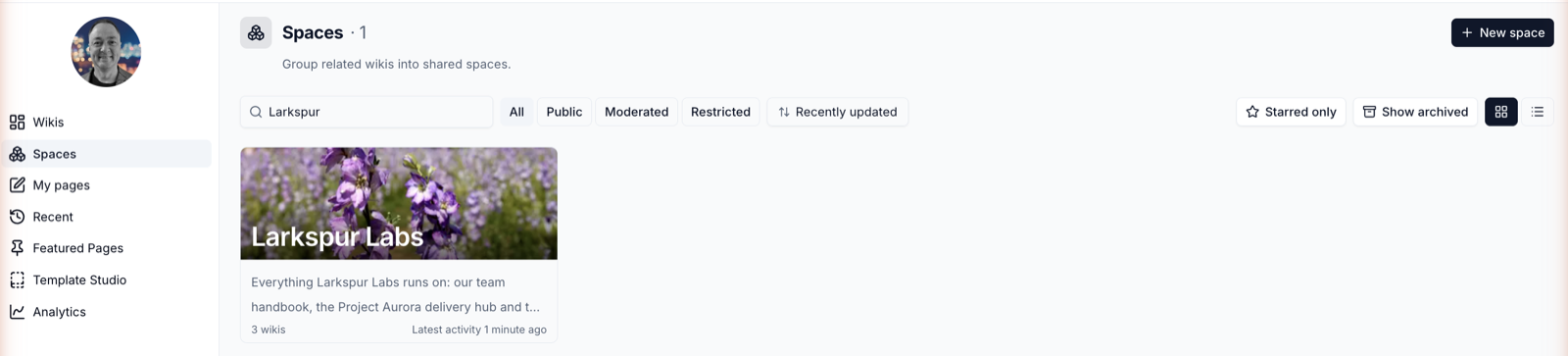
Click Spaces in the sidebar to open the directory.
| Control | What it does |
|---|---|
| Search spaces | Finds spaces by name or description |
| All, Public, Moderated, Restricted | Filters by who can join |
| Sort | Recently updated, Recently visited, Trending or Name |
| Starred only | Shows only spaces you have starred. Click the star on a card to star it |
| Show archived | Includes archived spaces |
| Grid / list | Switches between cards and a compact list |
Inside a space, click its name at the top to switch to another space. Your starred and recent spaces are listed first.
Who Can See a Space
| Visibility | Who can find it | Who can read it | How people join |
|---|---|---|---|
| Public | Everyone in your organisation | Everyone in your organisation | Click Join - no approval needed |
| Moderated | Everyone in your organisation | Members only | Click Request to join and wait for an owner |
| Restricted | Members only | Members only | An owner adds them |
In a Public space, people who haven't joined can read its wikis but can't edit them or post in the feed.
Roles in a Space
| Role | Can |
|---|---|
| Editor | Read the space, edit all of its wikis, post in the feed and personalise the dashboard |
| Owner | Everything an Editor can do, plus change the space's settings, layout and members, and add or remove wikis |
Organisation administrators can manage every space in their organisation.
Join or Leave a Space
- Public space - click
Join. You become an Editor straight away - Moderated space - click
Request to join. The owners are notified, and you are told when they approve or decline. If you are declined you can ask again - Leave - click Space options and choose Leave space. You lose edit access to its wikis. You can rejoin a Public space at any time
A space always has an owner
The last owner of a space can't leave it. Make someone else an owner first.
Next Steps
Please contact us if you have any questions.