
Getting Started with Huddo Ideas
Huddo Ideas helps your organisation gather ideas from the people who know the work best, then decide together which ones to act on. This guide explains the basics so you can take part in your first idea lab.
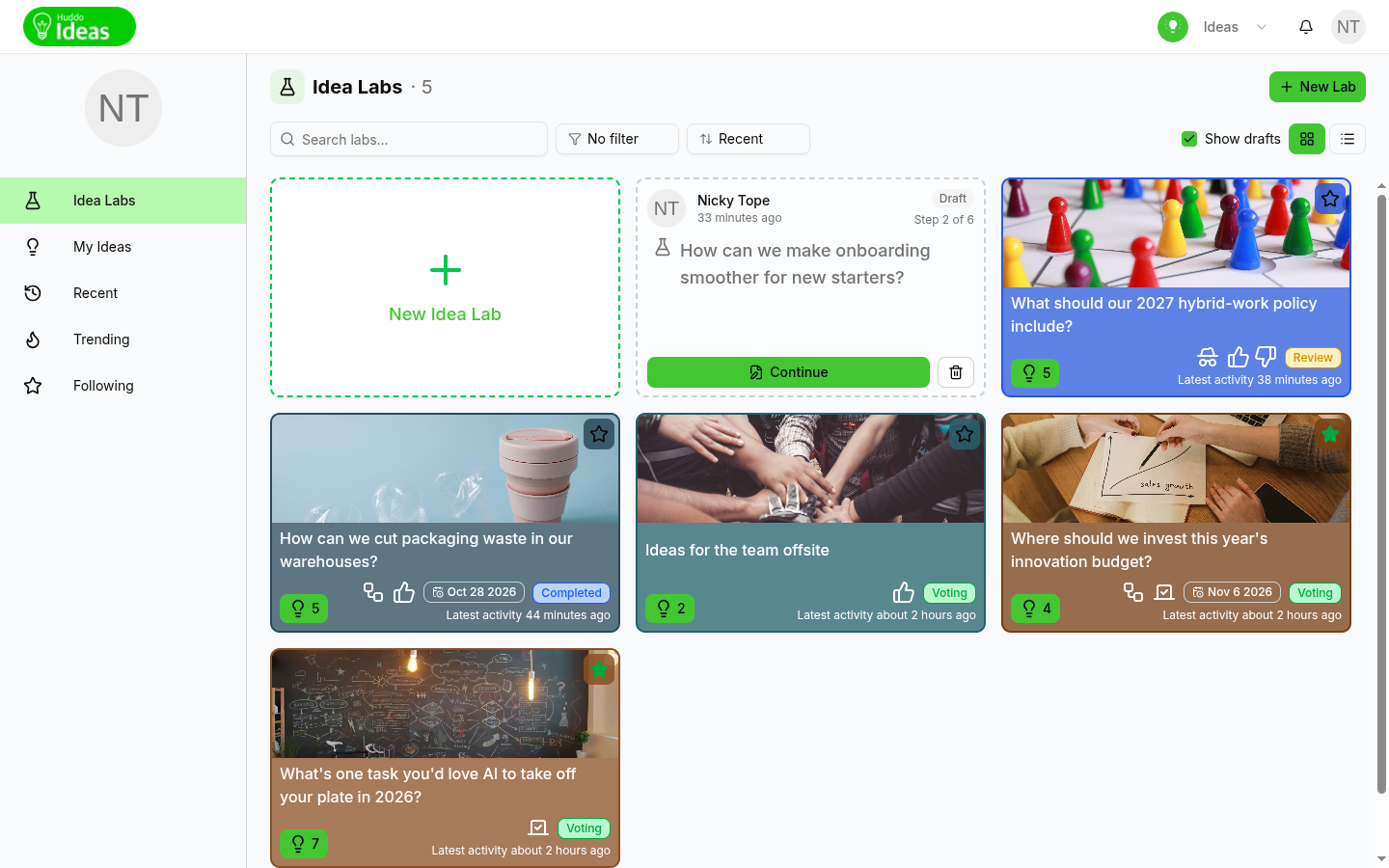
The Building Blocks
- Idea labs - a lab poses one question or challenge, such as "How can we cut packaging waste in our warehouses?". Each lab has its own members, voting type and look
- Ideas - people submit ideas in answer to the lab's question. Each idea has a title, a description and sometimes answers to the lab's own questions
- Votes - members vote on the ideas they like best, so the strongest ideas rise to the top
- Review - the lab's owners and reviewers choose which ideas are successful
Finding Your Way Around
The sidebar on the left takes you to each part of Huddo Ideas:
- Idea Labs - every lab you can access. See Finding Idea Labs
- My Ideas - the ideas you have submitted, across all labs
- Recent - ideas with recent activity, grouped by when it happened
- Trending - the labs with the most new ideas and votes in the last 14 days
- Following - the labs and ideas you have starred
If you need more room, click the edge of the sidebar to collapse it to icons. See Following, My Ideas and Notifications for more on My Ideas, Recent, Trending and Following.
How a Lab Runs
Every lab moves through three stages. The current stage is shown as a badge on the lab's card and in the lab header. Hover over the badge for a short description.
| Stage | What happens |
|---|---|
| Voting | Submit and vote on ideas |
| Review | Choosing the winning idea(s) to promote as successful |
| Completed | Workflow is complete and successful ideas have been selected |
You can submit new ideas and vote only while a lab is in the Voting stage. When a lab moves to Review, voting closes and the lab's owners and reviewers pick the winners. You can still read every idea and join the discussion.
Who moved the lab on?
Hover over the stage badge to see when the lab was promoted to its current stage, and by whom.
Each idea also has its own status, such as Under review or Successful. See Idea Statuses.
Your First Five Minutes
- Open Huddo Ideas. You land on the Idea Labs page
- Click a lab to open it
- Read the lab's question and description
- Vote on the ideas you like. See Voting on Ideas
- Click
New ideato add your own. See Submit an Idea - Click the star on a lab or idea to follow it
Roles
What you can do in a lab depends on your role. Contributors can submit ideas and vote. Readers can look but not take part, Reviewers help decide which ideas succeed, and Owners run the lab. See Members and Roles for the details.
If you want to run a lab of your own, see Create an Idea Lab.
Please contact us if you have any questions.